Turn an AI-generated image into a vector file
Trace the picture you generated into clean shapes you can print or cut, free to download.
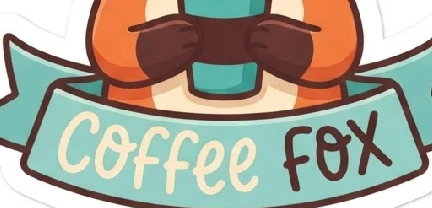 AI PNG · 1024 px
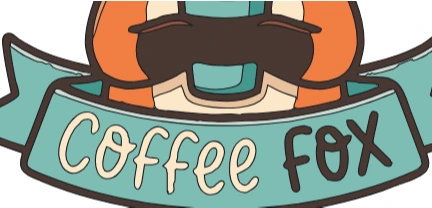 SVG · paths
How to Use
Choose the picture your image generator gave you and it is traced into flat shapes in the colors it has, up to 16, with the grain dropped and the white highlights kept. Download SVG, EPS, PDF, DXF or an .ai file. Nothing is regenerated.
- Click Choose the picture, or drop a PNG or JPG on this card. It is traced at once, 4 in wide, in the colors the picture has (up to 16), its white parts kept.
- Zoom in on the letters. Generators often misspell, and the tracing keeps their shapes as drawn. To change a word, delete its shapes and set it again with the Type tool, then choose Type > Create Outlines.
- Soft shading comes out as bands of flat color. Select a band with the Selection tool and delete it, or recolor it to match its neighbor.
- Click Download SVG, or Other formats... for EPS, PDF, DXF or an .ai file. Check the size once after import.
| Formats | PNG, JPG or WebP in; SVG, EPS, PDF, DXF or .ai file out |
|---|---|
| Limits | A copy of at most 1360 px on its long side and 1.5 megapixels in all is traced (a 1024 px square: the whole picture) |
| Where it runs | In your browser, no account |
Flat, sticker-style pictures trace cleanly; soft shading and glow come out as color bands, and a soft drop shadow round a sticker is left out. Letters keep the generator's shapes, misspellings included; curved lettering stays as drawn. Nothing is upscaled or regenerated: the tracing follows the picture you give it. Whether you may sell the result depends on your generator's terms.
- Does it work on pictures from any AI image generator?
- Yes, on any PNG, JPG or WebP. Flat, illustration-style pictures trace best; photographic ones come out as patches of color.
- Why are the letters wrong?
- Image generators draw letters as shapes and often misspell them. The tracing copies those shapes as they are. Set the right word with the Type tool and outline it; a word on a curved banner is easier to redraw than to fix point by point.
- Can I get layers for Cricut?
- The SVG has one group per color; Cricut Design Space and similar apps show each group as a layer to cut. For cutting checks, use the Image to cut file page.
- Is the picture uploaded?
- No. Tracing and downloads run in your browser, with no account.
RelatedVectorize an imageVectorize a low-res logo for signs, vinyl and screen printingTurn a picture into a cut file