Convert an image to DXF for your laser or CNC
Turn your picture into closed outlines in millimeters, free to download.
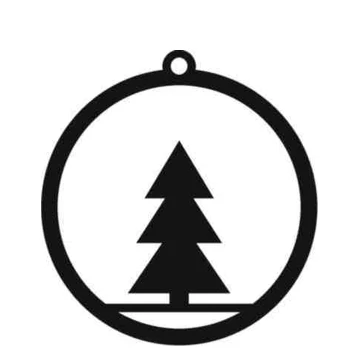 JPG · 420 px
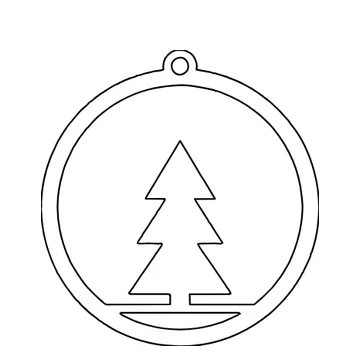 DXF · 120 mm
How to Use
Choose an image and it is traced into closed shapes, dark on light, with the white background left out. Type the width you want; the card measures the thinnest part at that width. The DXF is written in millimeters, one closed polyline per outline, with the unit in its header.
- Click Choose an image, or drop a JPG or PNG on this card. It is traced at once, dark shapes only, 120 mm wide.
- Type the finished width in the card, in mm. Everything scales with it, and the card measures the thinnest part again.
- Zoom in. Stray specks? Select one with the Selection tool and choose Edit > Clear; the card counts again.
- Click Download DXF. Open it in your laser or CNC software; the unit is in the file.
| Formats | JPG or PNG in; DXF or SVG out |
|---|---|
| Limits | Traces a copy of at most 1360 px on its long side and 1.5 megapixels in all (a square picture: about 1220 px) |
| Where it runs | In your browser, no account; Make line art with AI runs on our server and needs sign-in |
A small picture is enlarged and smoothed before it is traced: a 420 px JPG gets clean edges, but detail it never had does not appear. A photo traced as it is comes out as blobs. Click Make line art with AI on the card instead (sign-in needed, free to try with a new account): AI redraws the photo as black lines, and the card traces and checks the drawing like any other picture. For a photo the card starts on Engrave; choose Cut and it counts the pieces the cut leaves, and most drawings cut into several. The drawing is redrawn, not copied: faces and small details change, so look at it before you cut or engrave. The card flags parts thinner than 0.3 mm, a rule of thumb for a laser cut; your material and lens may need more. If you add your own shapes that overlap the tracing, select them all and choose Object > Pathfinder > Unite so the laser follows one outline. No DWG, PLT or CDR.
- Why did an older DXF import 2.8 times too big?
- Its program read the points as millimeters. The DXF from this page is written in millimeters, with the unit in its header; check the size once after import.
- Why is there a box around my design?
- The picture's background was traced as a shape. Here a light background is left out, so only the dark design becomes lines; a dark or colored background turns into one big shape, so lighten it first.
- Does the DXF keep the fill for an engrave?
- No. A DXF holds outlines only. Pick Engrave in the card and download the SVG, which keeps the shapes filled; or import the DXF and set its layer to fill in your laser software.
- Will the line art cut out as one piece?
- Sometimes. After the drawing is traced, the card counts the pieces: Line art traced: 1 piece means it cuts out whole. If not, the card marks it with ! and says how many pieces; inner lines that do not join the outline fall out when cut. Click Use for engraving instead, or Draw it again for a new drawing, which takes AI credits again. A pet or a simple object has the best chance; houses, portraits and group photos rarely come out whole.
- Is the picture uploaded?
- Tracing and the DXF: no. They are made in your browser, with no account. Make line art with AI is the exception: the photo goes to our server and needs a sign-in, and the photo and the drawing are kept for 30 days.
RelatedConvert an SVG to DXFMake an SVG for Glowforge: cut lines and engravesVectorize an image