Make an SVG for Glowforge: cut lines and engraves
Get a file the Glowforge app cuts and engraves the way you meant.
 PNG
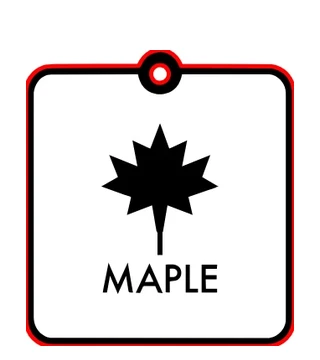 SVG · 2 in
How to Use
Choose an image or an SVG. A red stroked line with no fill is drawn along the outer edge and round any hole through it, which the Glowforge app reads as a cut; the shapes inside stay filled, which it reads as an engrave. The card checks what would go wrong on the bed: live text, cut lines that cross, a cut that leaves loose pieces, parts too thin to survive.
- Click Choose an image or SVG. An image is traced into dark shapes and made 2 in wide; an SVG opens as it is.
- In the card keep Cut + engrave, or pick Cut only or Engrave only. Type the width you want, in inches.
- If the card shows something to fix, click the button beside it, such as Outline text. Then zoom in on letters and thin parts.
- Click Download SVG and upload it in the Glowforge app: one step per color, cut for the red line, engrave for the rest. The SVG carries its width in inches; check the size there once.
| Formats | PNG, JPG or SVG in; SVG out |
|---|---|
| Limits | An image is traced from a copy of at most 1360 px on its long side and 1.5 megapixels; the SVG carries its width in inches |
| Where it runs | In your browser, no account; nothing is sent anywhere |
An image is traced into dark shapes first; photos engrave better as the PNG itself. The app ignores stroke width, so do not try to make a cut "thicker". The card flags cut parts thinner than 0.3 mm (0.012 in), a rule of thumb; check your material. Cut only cuts every edge, so letters and inner shapes fall out, and the card counts the pieces; for a stencil, add bridges yourself before you download. The SVG's width and height are written in inches; check the size once after upload. The app's bed size is not checked here. No DXF or PDF from this page.
- Why does my SVG only engrave in the Glowforge app?
- Its shapes are filled with no stroke, and filled shapes are read as engraves. This page adds a stroked line with no fill along the outer edge, which is read as a cut.
- Does the stroke need to be hairline or a certain color?
- No. The app ignores stroke width and opacity; color only decides which step the path lands in. Here the cut line is red and the engrave black, so you get two steps. (Glowforge's help pages on preparing SVG files, checked 20 October 2026.)
- Can I get a score instead of a cut?
- Yes, in the app: each stroked color can be switched from cut to score after upload.
- Is my file uploaded here?
- No. Tracing and the SVG are made in your browser, with no account. You upload the SVG to the Glowforge app yourself.
RelatedConvert an image to DXF for your laser or CNCConvert an SVG to DXFVectorize an image