Optimize and minify an SVG file
Shrink SVG file size locally with decimal rounding, clean IDs and responsive viewBox while paths stay editable.
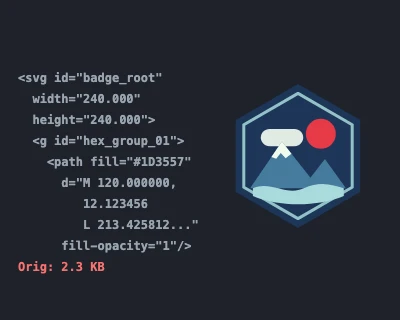 Raw SVG · verbose
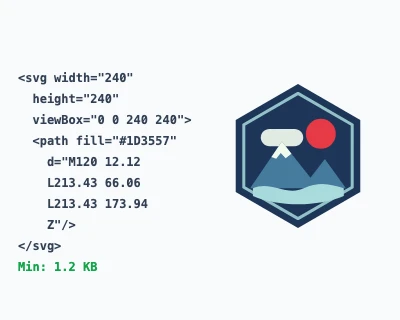 Optimized SVG · compact
How to Use
Open any SVG and tighten its output in milliseconds without uploading artwork or stripping layer structure. SVG Optimizer runs a single-pass cleanup using Vectorpip's native serializer: pick 1 to 3 decimal places, toggle whitespace minification, drop redundant internal object IDs, optionally outline text paths or remove fixed width and height attributes for responsive scaling, then copy or download the clean SVG immediately.
- Click Choose an SVG file, drag an .svg onto the canvas, or click Open Sample to test with a verbose badge.
- Adjust Decimals (1, 2 or 3) and toggle Minify, Minimal IDs, Outline text or Responsive while watching the live before/after byte reduction.
- Need to tweak shapes directly? Edit any path or anchor on the canvas before exporting; no geometry is baked unless you choose Outline text or Object > Path > Simplify....
- Click Copy SVG for inline markup or Download SVG to save the optimized file locally.
| Optimization options | 1–3 decimal coordinate rounding, XML whitespace minification, minimal ID pruning, responsive viewBox and live text outlining |
|---|---|
| Live feedback | Displays real-time output byte size and percentage saved against the baseline SVG |
| Vector integrity | Keeps shapes, gradients and layers editable in the canvas; optional Outline text uses fonts loaded in your browser |
| Limits & privacy | Runs 100% locally in Chrome, Edge or Safari; files up to 120 MB SVG markup / 250,000 elements open without uploads or sign-up |
Optimizes SVG markup structure (whitespace, coordinate decimals, ID attributes and optional text outlining) rather than auto-merging overlapping boolean geometry; for reducing anchor counts, open Object > Path > Simplify... in the editor. Download SVG exports the active artboard with hidden layers omitted, Outline text converts fonts available in the browser, and remote http(s) linked bitmaps inside foreign SVGs are omitted during local import.
- Does minifying an SVG degrade curve quality?
- Choosing 2 decimal places keeps visual accuracy virtually identical for web icons and UI artwork while cutting redundant fractional digits. Check your shape live on canvas before downloading.
- What does Responsive do in SVG output?
- Enabling Responsive omits fixed width and height attributes on the root SVG tag while keeping viewBox, so CSS controls scaling cleanly across layouts.
- When should I turn on Outline text?
- Enable Outline text when sharing SVG files across devices or browsers that have the font available locally now; leave it off to keep SVG text elements tiny and searchable.
- Are my brand icons or product SVGs uploaded to a server?
- No. Opening, optimization and export all execute locally inside your browser tab.
RelatedEdit the paths in an SVGConvert an SVG to PNGConvert an SVG to JPG