Make a certificate, or one per name
Pick a style, type the name and print an A4 certificate, or paste a list for one per name, free.
How to Use
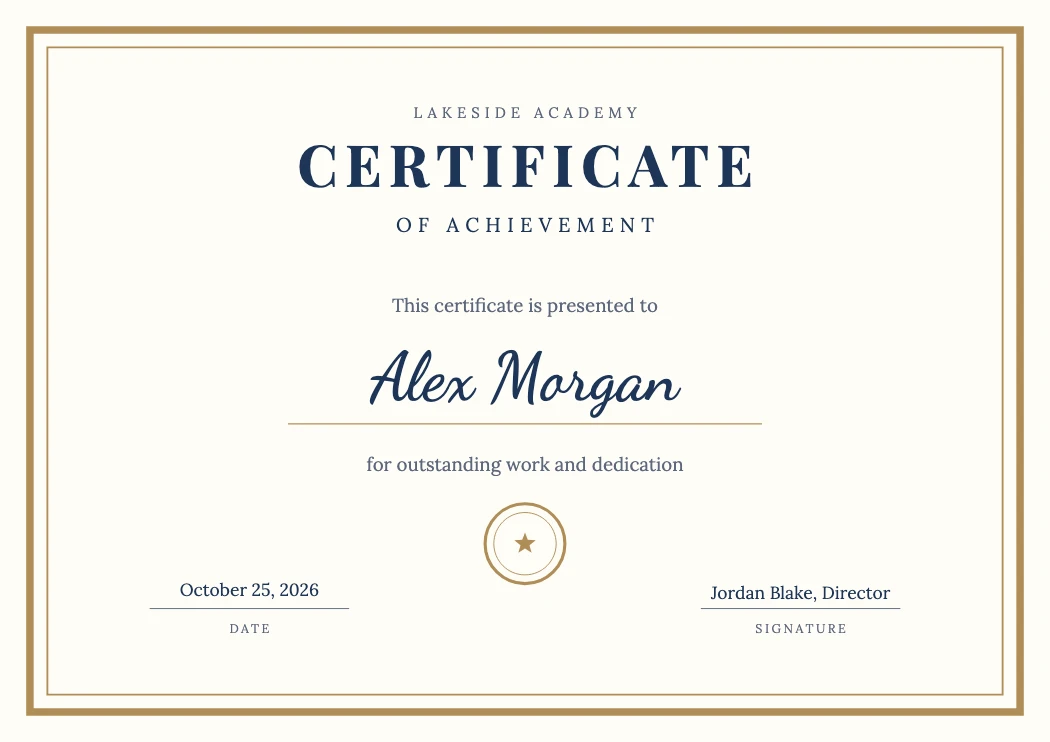
Pick one of three styles and it opens as an A4 certificate, landscape by default, with the title, wording, date and seal already set. The card above the canvas switches it to portrait, changes the color scheme and takes your list of names: each name becomes its own certificate on its own artboard, so you can still fix a typo or move the seal before you save a PDF with one page per person.
- Pick one of the three styles and click Open the Classic template (or Modern, Minimal). It opens at A4 landscape (297 × 210 mm) with the Accent, Ink and Muted colors as global swatches, the issuer and the signer as live type. Want something else? Click Want something else? Describe it under the styles and type what you have in mind, such as a navy completion certificate, portrait, two signatures: a picture of that certificate joins the styles as As described, the line under the box says what it understood, and Open this certificate opens it.
- In the card above the canvas pick a color scheme (seven, from Gold to Charcoal), what the certificate is for (Achievement, Completion, Appreciation, Award, Employee of the month), landscape or portrait, and an ornament (laurel, ribbon, stars): the certificate on the canvas rebuilds with the wording to match. For a single certificate click Edit the name and type; double-click the issuer, the wording under the name, the date or the signer to change them; select the seal and press Delete if you do not want one.
- Click Paste the names…, paste one name per line (from Excel, Google Sheets or a text file) and click Make one per name. Every name gets its own artboard with the same design; the card says how many.
- Click Save as PDF (n pages): one page per person, ready for any printer. One PNG per person… opens Export for Screens, which writes a PNG per artboard named after the person.
- How do I make a certificate for each name on a list?
- Paste the names in the card, one per line, and click Make one per name. Each becomes an artboard with that name filled in, laid out in a grid; Save as PDF writes one page each. A whole sheet pasted in works too: the names come from the column headed Name, and a header row or a column of 1, 2, 3 is skipped. For a list with more columns or your own PSD, use the Bulk Certificate Generator on Photopip.
- What can I type in the Describe it box?
- Words the certificate understands: what it is for (completion, appreciation, award, participation, employee of the month, membership), classic, modern or minimal, portrait or landscape, a color (gold, navy, teal, burgundy, forest (green), rose (pink), charcoal (black)), a frame (double, thin, corners, none), an ornament (laurel, ribbon, stars), script, serif or sans, seal or no seal, one or two signatures, and the issuer after by, as in by Lakeside Academy. Describe again and it changes the certificate you already have, so you can refine it a word at a time. A word it does not know is named under the box, and Let the AI read it asks the AI assistant to map it to the closest style (that part asks you to sign in); the description is the only thing sent.
- Can I use my own wording and logo?
- Yes. Every line is live type: double-click and type. File > Place… adds a logo (SVG, PNG or PDF); the seal is a group you can recolor or delete.
- What size is the certificate?
- A4, 297 × 210 mm landscape or 210 × 297 mm portrait: switch in the card. For US Letter, choose File > Document Setup > Edit Artboards, tick Scale Artwork with Artboard in the Properties panel, then type 11 × 8.5 in: the design scales with the artboard.
- What if a name is very long?
- The name line is a fixed size (50–56 pt) and doesn't shrink with the length: shorten it, or select it and lower the size in the Character panel. Fonts are three pairings per language.
- Is it really free, with no sign-up? Where does the list go?
- Yes: no sign-up, no watermark and no limit on how many. The list and files aren't uploaded, and this page keeps nothing of them in the browser either: no recovery copy, no automatic versions, nothing under File > Open Recent, so the next person on this computer finds none of the names. Save the PDF before you close the tab; with unsaved changes the browser asks first. The PDFs and PNGs you save stay in your Downloads folder (or wherever you saved them): on a shared computer, move or delete them when you're done.
- Can I send the certificates by email?
- One PNG per person… saves a PNG for each person; attach it, or send the PDF page. Sending itself is up to your mail program; this page makes the files.
- Can I get it as a Word file?
- No. The certificate saves as PDF, PNG or SVG; the PDF opens and prints anywhere. To change a name or the wording later, open the PDF you saved here again (File > Open): every line is still editable.
More free toolsBusiness card makerPoster makerCurved text makerLogo makerSticker makerImage to vectorPNG to SVGSVG to PNG