Convert a PSD to AI
Layers become objects and type stays editable, in an .ai that Illustrator opens, free.
How to Use
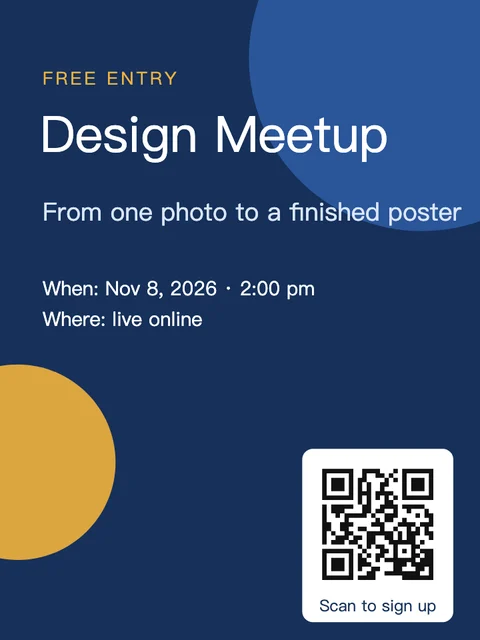
Choose a PSD and PSD Import Options asks to convert its layers to objects: pixel layers keep their names, opacity and blending, shape layers become paths, and type layers open as type you can still edit. Then a Convert to .ai box offers to save the .ai now or edit first. Nothing is uploaded.
- Click Choose a PSD and pick the file; .psb works too (on a computer you can also drop it on the page). On a computer, PSD Import Options appears first: click Convert Layers to Objects (Flatten to a Single Image keeps the exact look as one picture instead). On a phone the layers come in as objects without asking.
- Save the .ai: on a phone, keep .ai as the Format and click Save; on a computer, click Save as .ai in the Convert to .ai box over the artwork. It is a PDF-compatible .ai under the PSD's name, and Illustrator opens it as artwork with the layers in its Layers panel.
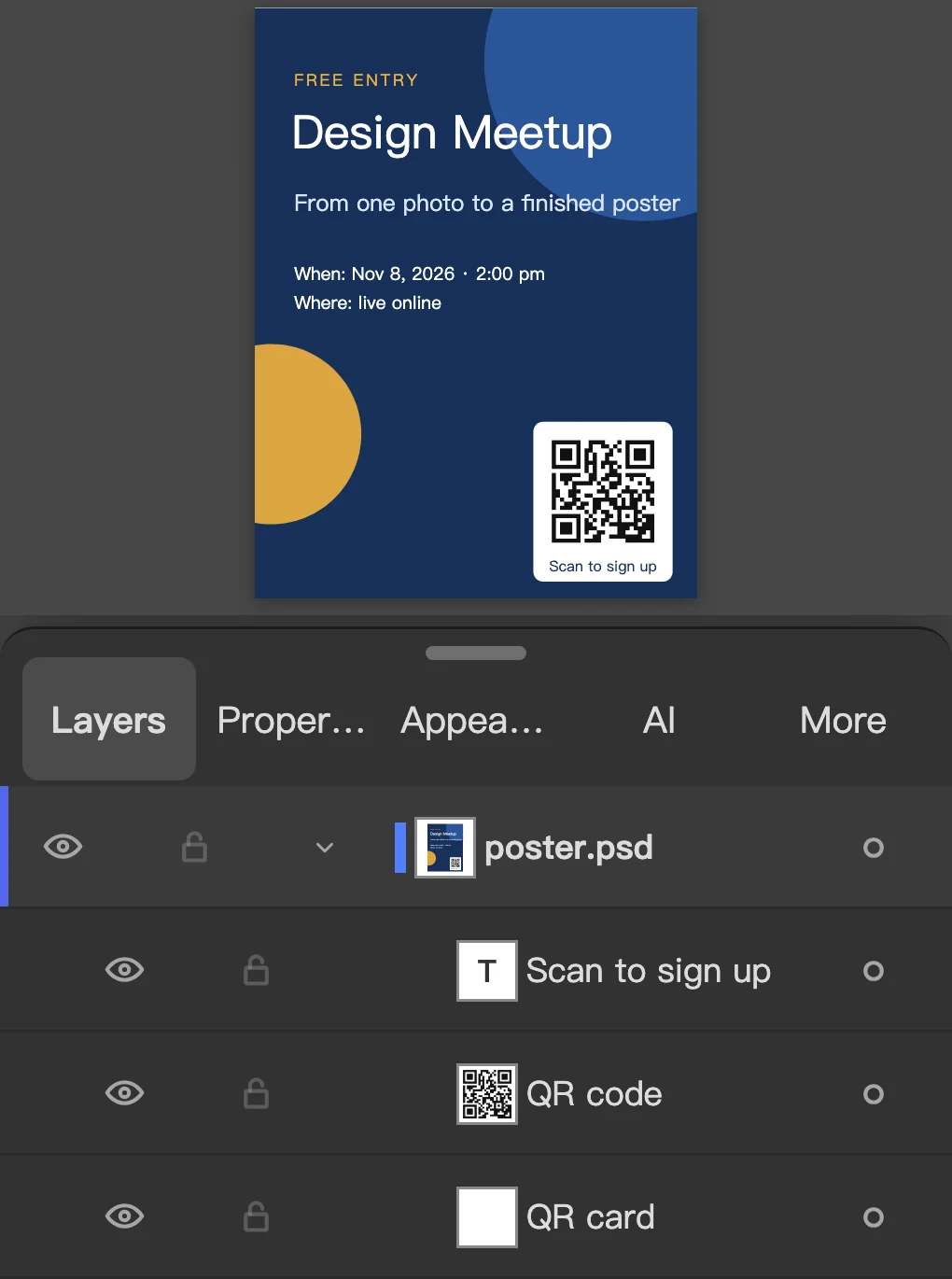
- To check the layers, click Edit first in the box on a computer, or Open in Editor on a phone. In the Layers panel each Photoshop layer is an object with its name, opacity, blending mode and visibility; groups are groups, type layers are type, and shape layers are paths with their fill and stroke.
- Change the words with the Type tool or trace a pixel layer with Object > Image Trace, then choose File > Save As… and the .ai format (.ai (PDF-compatible) in Chrome's save dialog). File > Export > Export As… writes SVG, or a PSD with Write Layers to go back to Photoshop.
- Does the text stay editable?
- Yes. A Photoshop type layer opens as type: the words, font, size, color, alignment, tracking and leading, point or paragraph text, and words styled differently within a line. Vertical type stays vertical. In the .ai itself the letters are written as outlines with the words over them as invisible text, so Illustrator shows them exactly and you retype to change them; open the .ai in Vectorpip again and the type is live.
- Is the result vector?
- The parts that were vector in Photoshop are: shape layers become paths with their solid fill and stroke (a gradient or pattern fill stays a picture), and type becomes type. Pixel layers stay pictures, each where it was, in the .ai too. To turn one into shapes, select it and choose Object > Image Trace; a logo traces well, a photo becomes many small shapes.
- What about adjustment layers, masks and layer styles?
- Layer masks and clipping masks are applied to the pixels. Drop Shadow, Outer Glow and Inner Glow come in as live effects, and the Stroke style on type and shapes stays; other layer styles are dropped. Adjustment and pattern fill layers have nothing to become an object, so Convert Layers to Objects leaves them out and tells you which, and colors can then differ; Flatten to a Single Image keeps Photoshop's exact look as one picture.
- Can I send it back to Photoshop?
- Yes: File > Export > Export As…, choose Photoshop (psd) and Write Layers. Each object becomes a Photoshop layer and type stays editable type layers, in RGB, CMYK or Grayscale.
- Is there a size limit? Do I need Illustrator or a Mac?
- A PSD or PSB up to 2 GB opens, in 8 or 16 bit, RGB, Grayscale, CMYK or Lab; a Multichannel file is refused, so change its mode in Photoshop first. Converted to objects, the layers can add up to 200 megapixels (each counted as cropped to the canvas); past that the file opens flattened, and a flattened picture can be up to 64 megapixels (fewer in 16-bit or CMYK), so a bigger one does not open. It all runs in the browser on Windows, macOS, Linux or a Chromebook, so no Illustrator or Photoshop is needed, and nothing is uploaded. Files convert one at a time.
More free toolsFavicon generatorAI to PDFEPS to PDFAI to SVGAI to PNGPNG to SVGBusiness card makerSVG to ICO
Convert a PSD to AI
Layers become objects and type stays editable, in an .ai that Illustrator opens, free.
How to Use
- Click Choose a PSD and pick the file; .psb works too (on a computer you can also drop it on the page). On a computer, PSD Import Options appears first: click Convert Layers to Objects (Flatten to a Single Image keeps the exact look as one picture instead). On a phone the layers come in as objects without asking.
- Save the .ai: on a phone, keep .ai as the Format and click Save; on a computer, click Save as .ai in the Convert to .ai box over the artwork. It is a PDF-compatible .ai under the PSD's name, and Illustrator opens it as artwork with the layers in its Layers panel.
- To check the layers, click Edit first in the box on a computer, or Open in Editor on a phone. In the Layers panel each Photoshop layer is an object with its name, opacity, blending mode and visibility; groups are groups, type layers are type, and shape layers are paths with their fill and stroke.
- Change the words with the Type tool or trace a pixel layer with Object > Image Trace, then choose File > Save As… and the .ai format (.ai (PDF-compatible) in Chrome's save dialog). File > Export > Export As… writes SVG, or a PSD with Write Layers to go back to Photoshop.
Choose a PSD and PSD Import Options asks to convert its layers to objects: pixel layers keep their names, opacity and blending, shape layers become paths, and type layers open as type you can still edit. Then a Convert to .ai box offers to save the .ai now or edit first. Nothing is uploaded.
- Does the text stay editable?
- Yes. A Photoshop type layer opens as type: the words, font, size, color, alignment, tracking and leading, point or paragraph text, and words styled differently within a line. Vertical type stays vertical. In the .ai itself the letters are written as outlines with the words over them as invisible text, so Illustrator shows them exactly and you retype to change them; open the .ai in Vectorpip again and the type is live.
- Is the result vector?
- The parts that were vector in Photoshop are: shape layers become paths with their solid fill and stroke (a gradient or pattern fill stays a picture), and type becomes type. Pixel layers stay pictures, each where it was, in the .ai too. To turn one into shapes, select it and choose Object > Image Trace; a logo traces well, a photo becomes many small shapes.
- What about adjustment layers, masks and layer styles?
- Layer masks and clipping masks are applied to the pixels. Drop Shadow, Outer Glow and Inner Glow come in as live effects, and the Stroke style on type and shapes stays; other layer styles are dropped. Adjustment and pattern fill layers have nothing to become an object, so Convert Layers to Objects leaves them out and tells you which, and colors can then differ; Flatten to a Single Image keeps Photoshop's exact look as one picture.
- Can I send it back to Photoshop?
- Yes: File > Export > Export As…, choose Photoshop (psd) and Write Layers. Each object becomes a Photoshop layer and type stays editable type layers, in RGB, CMYK or Grayscale.
- Is there a size limit? Do I need Illustrator or a Mac?
- A PSD or PSB up to 2 GB opens, in 8 or 16 bit, RGB, Grayscale, CMYK or Lab; a Multichannel file is refused, so change its mode in Photoshop first. Converted to objects, the layers can add up to 200 megapixels (each counted as cropped to the canvas); past that the file opens flattened, and a flattened picture can be up to 64 megapixels (fewer in 16-bit or CMYK), so a bigger one does not open. It all runs in the browser on Windows, macOS, Linux or a Chromebook, so no Illustrator or Photoshop is needed, and nothing is uploaded. Files convert one at a time.
More free toolsFavicon generatorAI to PDFEPS to PDFAI to SVGAI to PNGPNG to SVGBusiness card makerSVG to ICO
No uploadNo sign-up