Make a QR code as SVG
Type a link and get a vector QR code you can scale, recolor and print.
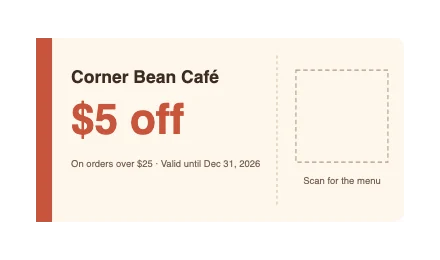 Coupon · empty frame
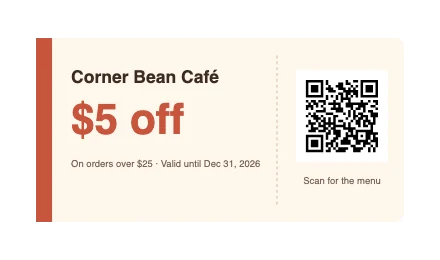 Vector QR code
How to Use
Type the link and click Create a QR code. Create QR Code opens with your link in it, and OK puts the code on its own artboard as vector shapes: a white square and one path of dark modules. Error correction, color and size are in the same dialog. To put the code on a coupon or a business card, open that file first and make the code there. Download the SVG, or save a PDF or EPS for the print shop.
- Type or paste the link in the box and click Create a QR code. Create QR Code opens with the link in Content; click OK. The code is placed and the artboard fits round it.
- To change the color, the size or the error correction, click Edit QR code… on the card: the same dialog opens on the code, and OK redraws it in its place.
- To put the code on your own coupon, card or poster, open that file with File > Open… and choose Object > Create QR Code… there. Drag the code where it goes.
- Click Download SVG. For the print shop, choose File > Save As… and pick PDF or EPS.
| Makes | QR codes, Wi-Fi codes, contact cards (vCard), Code 128 and EAN-13 barcodes |
|---|---|
| Saves | SVG; PDF, EPS, .ai and PNG from the File menu |
| Limit | Up to the largest QR code, version 40: about 2,300 bytes of text at error correction M |
| Where it runs | In your browser; nothing is uploaded, no account |
Static codes only: if the link changes, make and print a new code. Scans are not counted. A logo is not set in the middle for you: choose High (30%) under Error Correction, place the logo over the middle by hand and test-scan the result.
- Does the code expire?
- The code itself doesn't. It holds your link with no server in between and nothing to renew; it stops working only if the link itself does.
- Why do other sites charge a yearly fee?
- Those are dynamic codes: a scan goes to their server first and is redirected, so the code stops when the subscription does. This page makes static codes only.
- How small can I print it?
- The dialog says 2 cm (57 pt) or larger, and the card says so when the code is smaller. Longer text means more modules, so give a long link more room.
- Can it make barcodes?
- Yes: Code 128 and EAN-13 are under Type in the same dialog, as are Wi-Fi codes and contact cards. A Wi-Fi code holds the password as plain text.
RelatedMake a business cardMake a posterEdit the paths in an SVG