
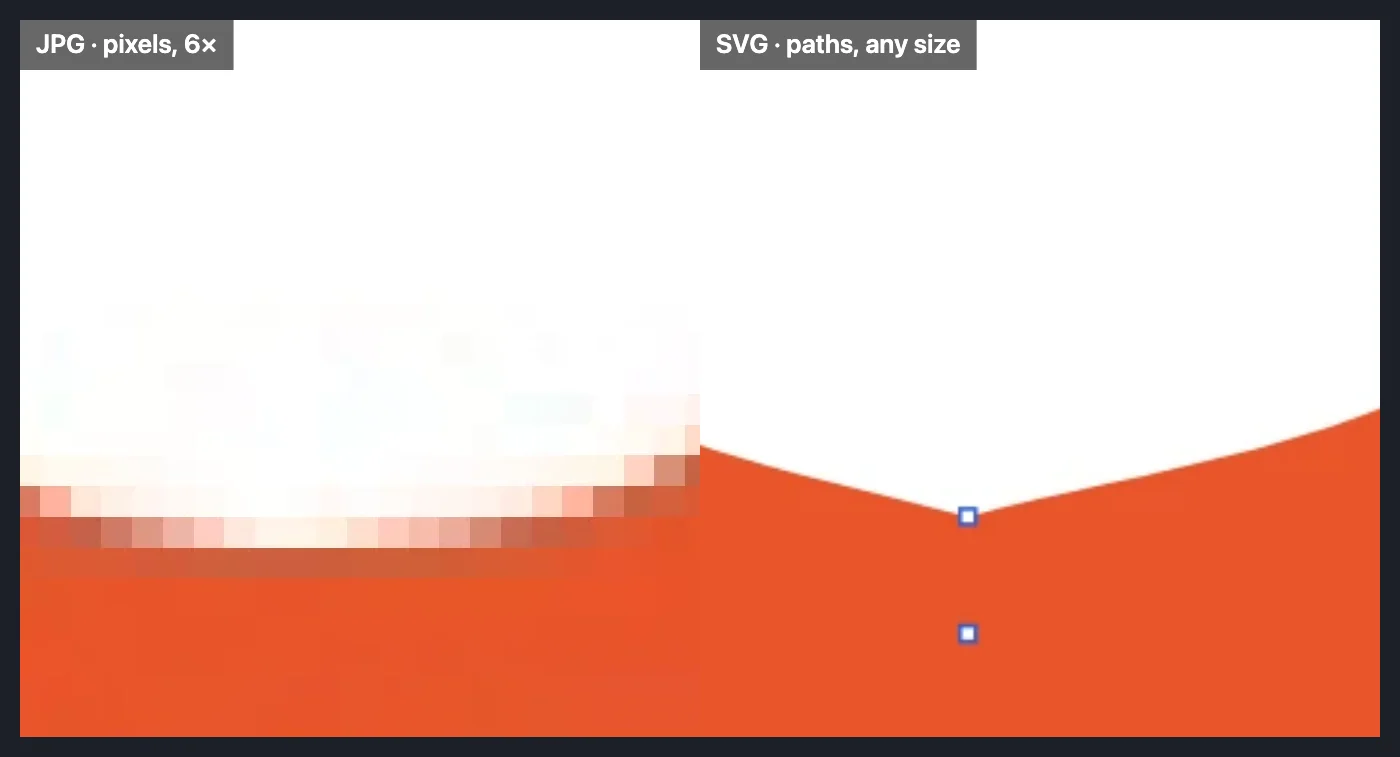
Vector or pixels: how to tell
A PNG or JPG is a fixed grid of pixels: zoom in and the edges turn into stairs. A vector file stores shapes as math, so it stays sharp at any size and their colors, strokes and text can still be edited. Use vectors for logos, icons, type and anything printed large or cut; use PNG or JPG for photographs.
What a print shop means by “a vector logo”
A PDF or EPS with the text converted to outlines (Type > Create Outlines), in CMYK if they ask for it (File > Document Color Mode > CMYK Color). File > Save As… writes the PDF with its Marks and Bleeds page, or an EPS with transparency flattened, which EPS requires. Keep an SVG for the web and the .ai for editing.
Open one and keep it editable
- Click Open the editor, then Open on its Home (or File > Open…) and choose an .ai, .eps, .pdf, .svg or .dxf; dropping the file anywhere on the page works too. EPS and DXF open up to 400 MB, PDF and .ai up to 2 GB, but what they unpack to is capped at 1.5 GB in all (512 MB for any one stream), so a very large, heavily compressed file may not open; an SVG with more than 120 MB of drawing (embedded pictures aside) or 250,000 elements is refused with a message.
- Open the Layers panel (Window > Layers). An .ai or PDF keeps its layers, text and gradients; an EPS from another program is drawn from its PostScript and arrives as one layer; a DXF comes in by CAD layer and color.
- Edit with the Selection (V) and Direct Selection (A) tools, the Pen tool (P) and the Type tool (T); recolor from the Swatches panel. For a print shop, select the text and choose Type > Create Outlines so no font is needed.
- To convert, choose File > Save As… for .ai, EPS, PDF or SVG, or File > Export > Export As… for DXF, PNG or JPG. The file is read and written on your device; nothing is uploaded.
Tip: A PNG or JPG logo is not a vector file yet. Image to vector traces it into paths and saves the SVG in one step.