Bulk award certificates from a pasted name list
Paste a list of recipients to build one A4 award per person and export PDF or PNGs, free.
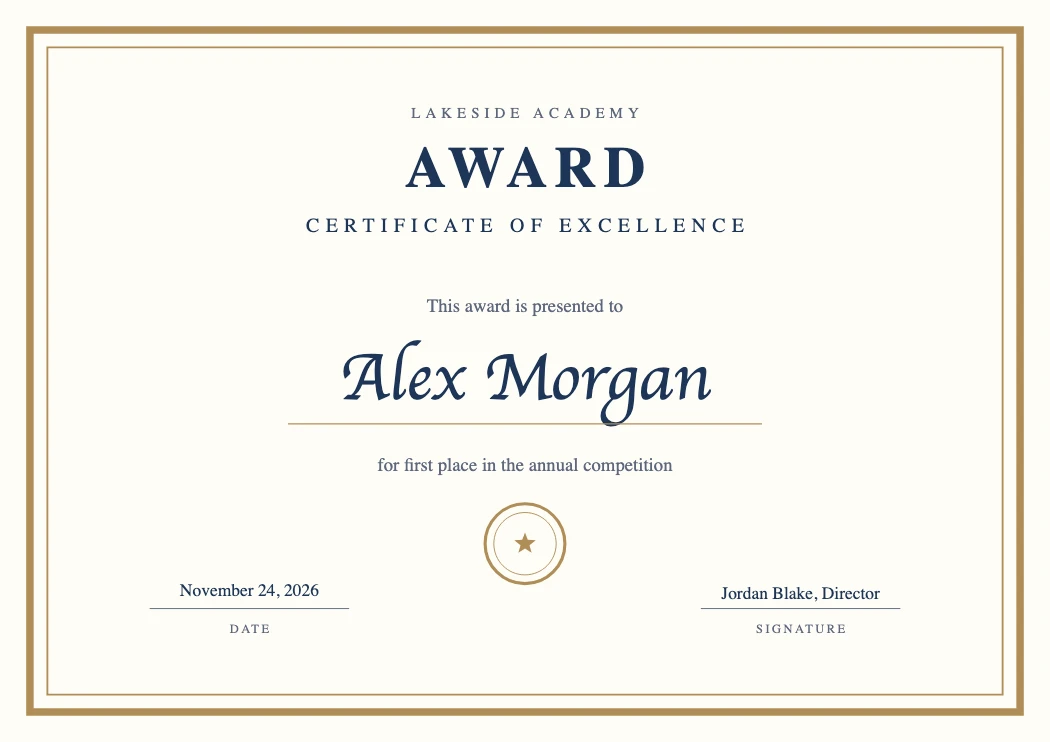
How to Use
Open a ready-made A4 landscape award template without setting up mail merge or uploading sensitive class lists. Pick Classic, Modern or Minimal styling, edit the issuer, award citation and date directly on the board, then paste your name column from Excel or Google Sheets to create one named artboard per person, exported as a print-ready multi-page PDF or individual PNG images.
- Click Open the Classic template (or pick Modern / Minimal above). The A4 landscape award (297 × 210 mm) opens ready to double-click the issuer, citation, date and signature.
- Choose the color palette and Ornament in the card, or switch Layout to Portrait if you want vertical certificates.
- Click Paste the names..., paste a column from Excel or Google Sheets (headers like "Name" and leading index numbers are skipped automatically), and click Make one per name. If sample issuer text still remains, click Change these first.
- Click Save as PDF (n pages) to print, or One PNG per person... and Export Artboard for a ZIP of 2× PNGs named after each recipient.
| Input | One recipient name per line, or an entire Excel / Google Sheets block (extracts the name column by header) |
|---|---|
| Exports | Multi-page A4 PDF (one page per recipient), or per-person 2× PNG archive via Export for Screens |
| Privacy & limits | Recipient count is limited only by device memory; sensitive session leaves no uploads, no Clarity recording and no browser history |
The pasted list fills only the recipient name field, keeping the same issuer, citation, date and layout across every board in that run; create separate runs if recipients won different prize titles. Standard names fit comfortably on a single landscape line (Minimal offers the widest margin; Portrait is narrower), and any long names that cross the border are flagged so you can run Fit the names in one click. Does not print names alone onto pre-printed blank certificate paper. For a single customizable achievement or completion certificate, see Make a certificate or generate a batch from a name list under Related below.
- Do I need to export my spreadsheet to CSV first?
- No. Copy and paste directly from Excel, Google Sheets or plain text. Common column headers such as "Name" or "Student Name" are skipped automatically, and leading row numbers are ignored when you paste a multi-column range.
- Can I make portrait award certificates instead?
- Yes. Pick Portrait under Layout on the card before generating artboards; any text edits you made to the title, issuer or citation stay intact.
- What if one recipient's name has a typo after generating?
- Each person gets an independent editable artboard named after them: double-click that name text on its board to correct the spelling, then export again.
- Does my list upload or stay saved in the browser?
- No. This is a privacy-restricted page: names never leave your browser, no recovery snapshot or recent-file entry is stored, and session recording stays disabled for shared classroom or office computers.
RelatedMake a certificate or generate a batch from a name listMake a business cardMake a poster