Convert a DXF file to editable SVG
Convert ASCII DXF layers, arcs and hatches into editable SVG paths locally.
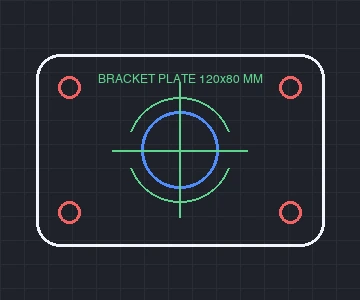 DXF · CAD lines
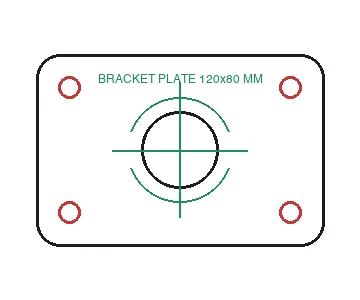 SVG · clean vector paths
How to Use
Select a .dxf drawing and Vectorpip converts its entities, CAD layers, splines and millimeter units into an SVG artboard directly inside your browser. Unlike blind cloud conversion where hairlines vanish or blocks break, you can toggle layers or delete border frames first, then click Export and choose **Font** > **Convert To Outlines** in **SVG Options** before downloading.
- Click Choose a DXF file, or drag a .dxf drawing onto the page.
- When the Export As dialog opens (set to SVG), inspect the canvas behind it; click Cancel first if you need to hide layers or delete border frames.
- Click Export to open SVG Options, and choose Font > Convert To Outlines (plus styling and object IDs) for Glowforge, xTool or Cricut.
- Click OK to save the clean .svg file straight to your computer.
| Input | 2D ASCII DXF up to 400 MB / 200,000 objects on desktop (LINE, LWPOLYLINE bulges, CIRCLE, ARC, ELLIPSE, SPLINE, HATCH, TEXT/MTEXT, INSERT blocks) |
|---|---|
| Scale fidelity | Reads DXF drawing units (mm, cm, m, in, ft) and flips CAD Y-up coordinates accurately onto print/cutter Y-down artboards |
| Output | Editable SVG preserving layer groups, vector stroke colors, and optional Font > Convert To Outlines |
| Processing & phone | 100% client-side in your browser; phones accept up to 40 MB (over 12 MB outputs PNG/JPG only) |
Only 2D ASCII DXF is read; binary DXF and .dwg files are refused as unsupported formats, 3D solids (3DSOLID), wipeouts and embedded bitmaps are skipped with notice, and unembedded external XREF references are omitted. If a DXF omits drawing unit headers, check dimensions against canvas rulers before cutting.
- Does converting DXF to SVG keep the real millimeter dimensions?
- Yes. Vectorpip reads DXF unit settings (millimeters, inches, meters) and scales geometry accurately into points/millimeters, unlike blind converters that lose physical scale.
- Why does my converted SVG from other tools look empty or have broken curves?
- Many simple converters drop polyline bulge arcs, spline curves or inserted blocks. Vectorpip converts bulge segments, cubic splines and block instances into clean Bezier paths.
- Can I use the exported SVG on laser cutters like Glowforge or xTool?
- Yes. Hide annotation layers or adjust cut-line stroke colors before exporting, and set Font to Convert To Outlines in SVG Options so text renders identically without missing system fonts.
- Are my CAD files uploaded anywhere?
- No. Both DXF decoding and SVG serialization run locally inside your browser tab.
RelatedOpen and edit a DXF file in your browserConvert a DXF file to print-ready PDFConvert an SVG to DXF
Convert a DXF file to editable SVG
Convert ASCII DXF layers, arcs and hatches into editable SVG paths locally.
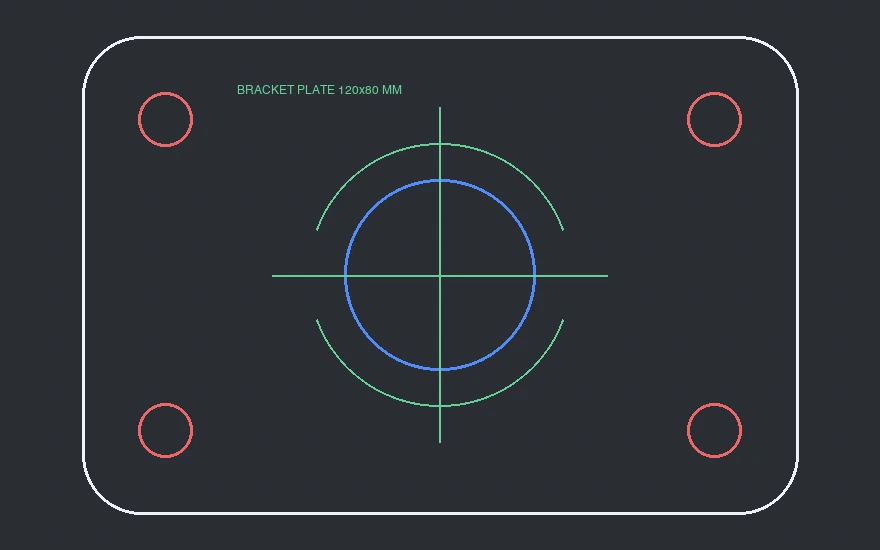
How to Use
- Click Choose a DXF file, or drag a .dxf drawing onto the page.
- When the Export As dialog opens (set to SVG), inspect the canvas behind it; click Cancel first if you need to hide layers or delete border frames.
- Click Export to open SVG Options, and choose Font > Convert To Outlines (plus styling and object IDs) for Glowforge, xTool or Cricut.
- Click OK to save the clean .svg file straight to your computer.
Select a .dxf drawing and Vectorpip converts its entities, CAD layers, splines and millimeter units into an SVG artboard directly inside your browser. Unlike blind cloud conversion where hairlines vanish or blocks break, you can toggle layers or delete border frames first, then click Export and choose **Font** > **Convert To Outlines** in **SVG Options** before downloading.
| Input | 2D ASCII DXF up to 400 MB / 200,000 objects on desktop (LINE, LWPOLYLINE bulges, CIRCLE, ARC, ELLIPSE, SPLINE, HATCH, TEXT/MTEXT, INSERT blocks) |
|---|---|
| Scale fidelity | Reads DXF drawing units (mm, cm, m, in, ft) and flips CAD Y-up coordinates accurately onto print/cutter Y-down artboards |
| Output | Editable SVG preserving layer groups, vector stroke colors, and optional Font > Convert To Outlines |
| Processing & phone | 100% client-side in your browser; phones accept up to 40 MB (over 12 MB outputs PNG/JPG only) |
Only 2D ASCII DXF is read; binary DXF and .dwg files are refused as unsupported formats, 3D solids (3DSOLID), wipeouts and embedded bitmaps are skipped with notice, and unembedded external XREF references are omitted. If a DXF omits drawing unit headers, check dimensions against canvas rulers before cutting.
- Does converting DXF to SVG keep the real millimeter dimensions?
- Yes. Vectorpip reads DXF unit settings (millimeters, inches, meters) and scales geometry accurately into points/millimeters, unlike blind converters that lose physical scale.
- Why does my converted SVG from other tools look empty or have broken curves?
- Many simple converters drop polyline bulge arcs, spline curves or inserted blocks. Vectorpip converts bulge segments, cubic splines and block instances into clean Bezier paths.
- Can I use the exported SVG on laser cutters like Glowforge or xTool?
- Yes. Hide annotation layers or adjust cut-line stroke colors before exporting, and set Font to Convert To Outlines in SVG Options so text renders identically without missing system fonts.
- Are my CAD files uploaded anywhere?
- No. Both DXF decoding and SVG serialization run locally inside your browser tab.
RelatedOpen and edit a DXF file in your browserConvert a DXF file to print-ready PDFConvert an SVG to DXF
No sign-up