Open and edit a DXF file in your browser
Open 2D CAD layers, blocks and dimensions locally—toggle layers, edit paths and export.
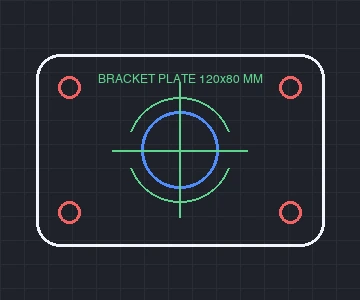 DXF · CAD layers
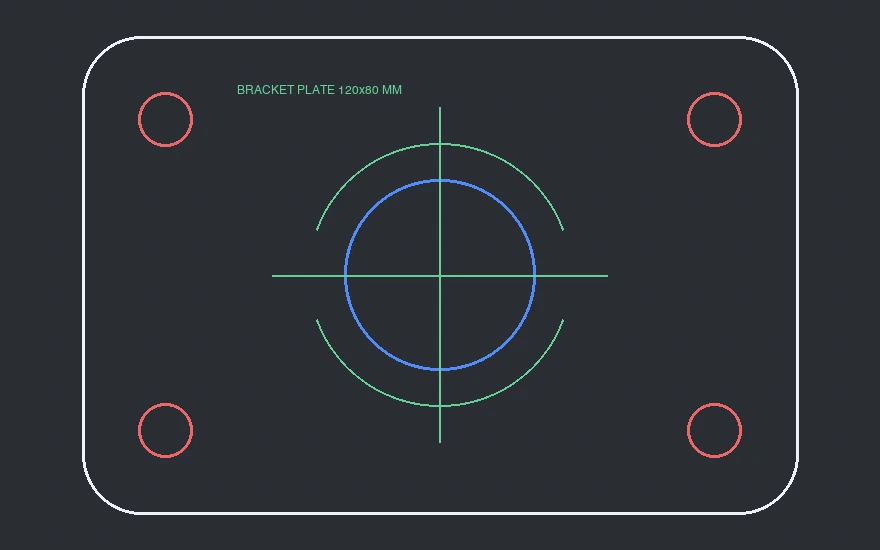 Opened · Layers panel
How to Use
Choose an ASCII DXF file and inspect every CAD layer, block and dimension in your browser with no account and no server upload. Unlike read-only viewers, Vectorpip opens 2D drawings into editable vector paths and text so you can toggle layers, delete title frames, adjust line weights and save back to DXF, PNG, SVG or PDF.
- Click Open a DXF file, or drop a .dxf file onto the page (up to 400 MB ASCII DXF on desktop).
- Inspect the Layers panel to toggle visibility or check color-coded CAD layers (OUTLINE, HOLES, ANNOTATIONS), drawing units and grouped blocks.
- Select any path to remove unwanted border frames, adjust stroke colors/widths, or reshape anchors with the Direct Selection tool.
- Use the result card to Export PNG... or Export DXF..., or open File > Export > Export As... for SVG and File > Save As... for PDF or EPS.
| Entities supported | LINE, LWPOLYLINE / POLYLINE (bulge arcs), CIRCLE, ARC, ELLIPSE, SPLINE, SOLID, POINT, TEXT / MTEXT, INSERT / DIMENSION blocks, SOLID & pattern HATCH |
|---|---|
| Layers & encodings | Preserves DXF layers, ACI/true colors, block instances (3+ repeats as Symbols), UTF-8 (AC1021+) and legacy code pages (GBK, Big5, Shift_JIS, Windows-1252) |
| File budget | Up to 400 MB / 200,000 objects on desktop (40 MB max on mobile; files over 12 MB export PNG/JPG only on phones), scaled by DXF units |
| Privacy & export | Parsed 100% in your browser tab; export DXF R12, PNG, SVG, PDF, EPS or .ai |
Supports 2D ASCII DXF files only. Binary DXF files and native .dwg files are refused (not an ASCII DXF / unsupported file format), 3D solids (3DSOLID), wipeouts and embedded bitmaps are skipped with a status notice, and unembedded external XREF paths are omitted because referenced files are not read from disk. Dense pattern hatches above 4,000 segments fall back to translucent fills. On phones, files over 40 MB are declined and files over 12 MB export PNG/JPG only.
- How do I view a DXF file without AutoCAD or an account?
- Drop your .dxf file onto this page. It parses completely locally in Chrome, Edge or Safari with no sign-up and no upload to external servers.
- Does it support DWG or binary DXF files?
- No. Native .dwg and binary DXF files cannot be opened directly—save from your CAD software as 2D ASCII DXF (R12–2018) first.
- Why are Chinese or Japanese labels preserved properly?
- Vectorpip reads AutoCAD 2007+ UTF-8 (AC1021) directly and honors pre-2007 DXF code pages (including GB18030, Big5 and Shift_JIS) plus Unicode escapes.
- Can I delete frames or change line colors before saving?
- Yes. Every entity becomes an editable vector object grouped by CAD layer, so you can hide layers, delete border boxes or set hairline strokes before saving DXF, PNG or PDF.
RelatedConvert a DXF file to editable SVGConvert a DXF file to print-ready PDFConvert an SVG to DXF
Open and edit a DXF file in your browser
Open 2D CAD layers, blocks and dimensions locally—toggle layers, edit paths and export.
How to Use
- Click Open a DXF file, or drop a .dxf file onto the page (up to 400 MB ASCII DXF on desktop).
- Inspect the Layers panel to toggle visibility or check color-coded CAD layers (OUTLINE, HOLES, ANNOTATIONS), drawing units and grouped blocks.
- Select any path to remove unwanted border frames, adjust stroke colors/widths, or reshape anchors with the Direct Selection tool.
- Use the result card to Export PNG... or Export DXF..., or open File > Export > Export As... for SVG and File > Save As... for PDF or EPS.
Choose an ASCII DXF file and inspect every CAD layer, block and dimension in your browser with no account and no server upload. Unlike read-only viewers, Vectorpip opens 2D drawings into editable vector paths and text so you can toggle layers, delete title frames, adjust line weights and save back to DXF, PNG, SVG or PDF.
| Entities supported | LINE, LWPOLYLINE / POLYLINE (bulge arcs), CIRCLE, ARC, ELLIPSE, SPLINE, SOLID, POINT, TEXT / MTEXT, INSERT / DIMENSION blocks, SOLID & pattern HATCH |
|---|---|
| Layers & encodings | Preserves DXF layers, ACI/true colors, block instances (3+ repeats as Symbols), UTF-8 (AC1021+) and legacy code pages (GBK, Big5, Shift_JIS, Windows-1252) |
| File budget | Up to 400 MB / 200,000 objects on desktop (40 MB max on mobile; files over 12 MB export PNG/JPG only on phones), scaled by DXF units |
| Privacy & export | Parsed 100% in your browser tab; export DXF R12, PNG, SVG, PDF, EPS or .ai |
Supports 2D ASCII DXF files only. Binary DXF files and native .dwg files are refused (not an ASCII DXF / unsupported file format), 3D solids (3DSOLID), wipeouts and embedded bitmaps are skipped with a status notice, and unembedded external XREF paths are omitted because referenced files are not read from disk. Dense pattern hatches above 4,000 segments fall back to translucent fills. On phones, files over 40 MB are declined and files over 12 MB export PNG/JPG only.
- How do I view a DXF file without AutoCAD or an account?
- Drop your .dxf file onto this page. It parses completely locally in Chrome, Edge or Safari with no sign-up and no upload to external servers.
- Does it support DWG or binary DXF files?
- No. Native .dwg and binary DXF files cannot be opened directly—save from your CAD software as 2D ASCII DXF (R12–2018) first.
- Why are Chinese or Japanese labels preserved properly?
- Vectorpip reads AutoCAD 2007+ UTF-8 (AC1021) directly and honors pre-2007 DXF code pages (including GB18030, Big5 and Shift_JIS) plus Unicode escapes.
- Can I delete frames or change line colors before saving?
- Yes. Every entity becomes an editable vector object grouped by CAD layer, so you can hide layers, delete border boxes or set hairline strokes before saving DXF, PNG or PDF.
RelatedConvert a DXF file to editable SVGConvert a DXF file to print-ready PDFConvert an SVG to DXF
No sign-up