Convert a DXF file to print-ready PDF
Turn 2D CAD DXF drawings into sharp vector PDFs with accurate scale locally.
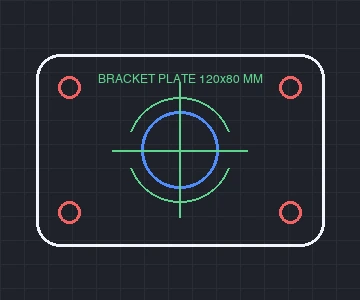 DXF · millimeter CAD
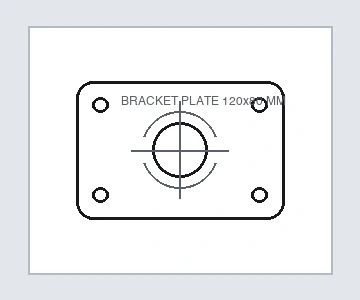 PDF · vector print file
How to Use
Select a .dxf drawing and Vectorpip opens its 2D CAD layers locally before bringing up the Save as PDF dialog. Output stays true vector paths and text instead of flattened screenshots, keeping dimensions and blueprints sharp when zoomed or printed while drawings stay on your machine.
- Click Choose a DXF file, or drop a .dxf drawing anywhere on the page.
- When the Save as PDF dialog opens, pick your preset ([Default] to keep layers, live effects and editable type, or [Press Quality] for print output).
- Click Cancel first if you want to toggle layers, change background colors or adjust trim margins on the artboard.
- Click Save PDF to write the clean vector .pdf locally.
| Input | 2D ASCII DXF up to 400 MB / 200,000 objects on desktop (40 MB on mobile) with millimeter/inch scaling and multi-codepage text |
|---|---|
| Vector output | True vector paths, Bézier arcs, CAD layer structure, optional trim/bleed marks and PDF presets |
| Privacy | Runs locally in Chrome, Edge or Safari—your engineering plans never leave your device |
| Phone workflow | Mobile opens straight into the result card with PDF, SVG, PNG and JPG output (files over 12 MB export PNG/JPG only) |
Supports 2D ASCII DXF only: .dwg and binary DXF files are refused as unsupported formats, 3D solids (3DSOLID), wipeouts and embedded bitmaps are skipped with notice, and unembedded external XREF paths are omitted. Paper size defaults to drawing bounds plus margin; adjust it under File > Document Setup if you need A4/A3/Letter. Mobile limits files to 40 MB (over 12 MB exports PNG/JPG only).
- Is the PDF output true vector or a raster screenshot?
- True vector paths and editable text—zooming into curves and dimensions keeps every blueprint and fabrication sheet crisp.
- Can I exclude hidden or construction layers before saving PDF?
- Yes. Click Cancel on the dialog, toggle any layer off in the Layers panel, then choose File > Save As... and pick PDF.
- Does it cost money or limit DXF files per day?
- No. Browser DXF parsing and PDF export are completely free with no account and no daily quota.
- What if my CAD drawing is a .dwg file?
- Export it as 2D ASCII DXF from your CAD software first, then convert it to PDF here without losing precision.
RelatedOpen and edit a DXF file in your browserConvert a DXF file to editable SVGCheck a PDF before you send it to print
Convert a DXF file to print-ready PDF
Turn 2D CAD DXF drawings into sharp vector PDFs with accurate scale locally.
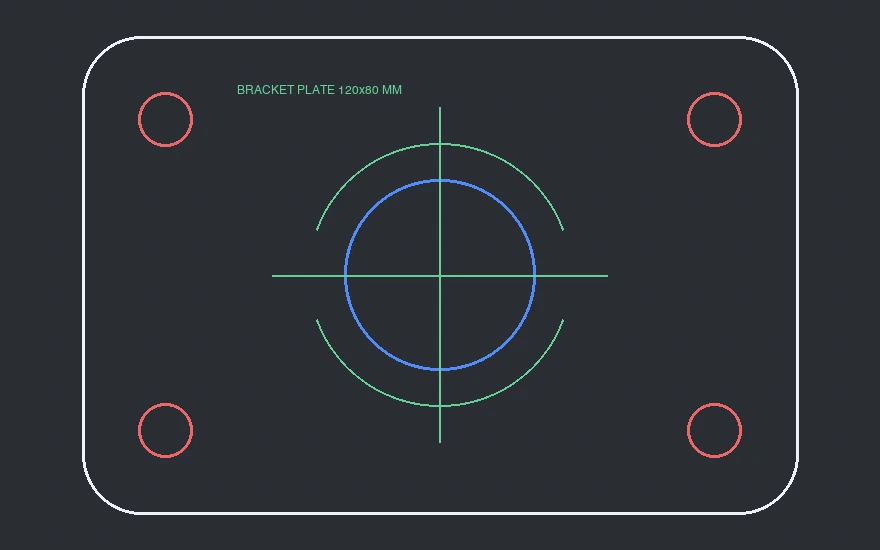
How to Use
- Click Choose a DXF file, or drop a .dxf drawing anywhere on the page.
- When the Save as PDF dialog opens, pick your preset ([Default] to keep layers, live effects and editable type, or [Press Quality] for print output).
- Click Cancel first if you want to toggle layers, change background colors or adjust trim margins on the artboard.
- Click Save PDF to write the clean vector .pdf locally.
Select a .dxf drawing and Vectorpip opens its 2D CAD layers locally before bringing up the Save as PDF dialog. Output stays true vector paths and text instead of flattened screenshots, keeping dimensions and blueprints sharp when zoomed or printed while drawings stay on your machine.
| Input | 2D ASCII DXF up to 400 MB / 200,000 objects on desktop (40 MB on mobile) with millimeter/inch scaling and multi-codepage text |
|---|---|
| Vector output | True vector paths, Bézier arcs, CAD layer structure, optional trim/bleed marks and PDF presets |
| Privacy | Runs locally in Chrome, Edge or Safari—your engineering plans never leave your device |
| Phone workflow | Mobile opens straight into the result card with PDF, SVG, PNG and JPG output (files over 12 MB export PNG/JPG only) |
Supports 2D ASCII DXF only: .dwg and binary DXF files are refused as unsupported formats, 3D solids (3DSOLID), wipeouts and embedded bitmaps are skipped with notice, and unembedded external XREF paths are omitted. Paper size defaults to drawing bounds plus margin; adjust it under File > Document Setup if you need A4/A3/Letter. Mobile limits files to 40 MB (over 12 MB exports PNG/JPG only).
- Is the PDF output true vector or a raster screenshot?
- True vector paths and editable text—zooming into curves and dimensions keeps every blueprint and fabrication sheet crisp.
- Can I exclude hidden or construction layers before saving PDF?
- Yes. Click Cancel on the dialog, toggle any layer off in the Layers panel, then choose File > Save As... and pick PDF.
- Does it cost money or limit DXF files per day?
- No. Browser DXF parsing and PDF export are completely free with no account and no daily quota.
- What if my CAD drawing is a .dwg file?
- Export it as 2D ASCII DXF from your CAD software first, then convert it to PDF here without losing precision.
RelatedOpen and edit a DXF file in your browserConvert a DXF file to editable SVGCheck a PDF before you send it to print
No sign-up