
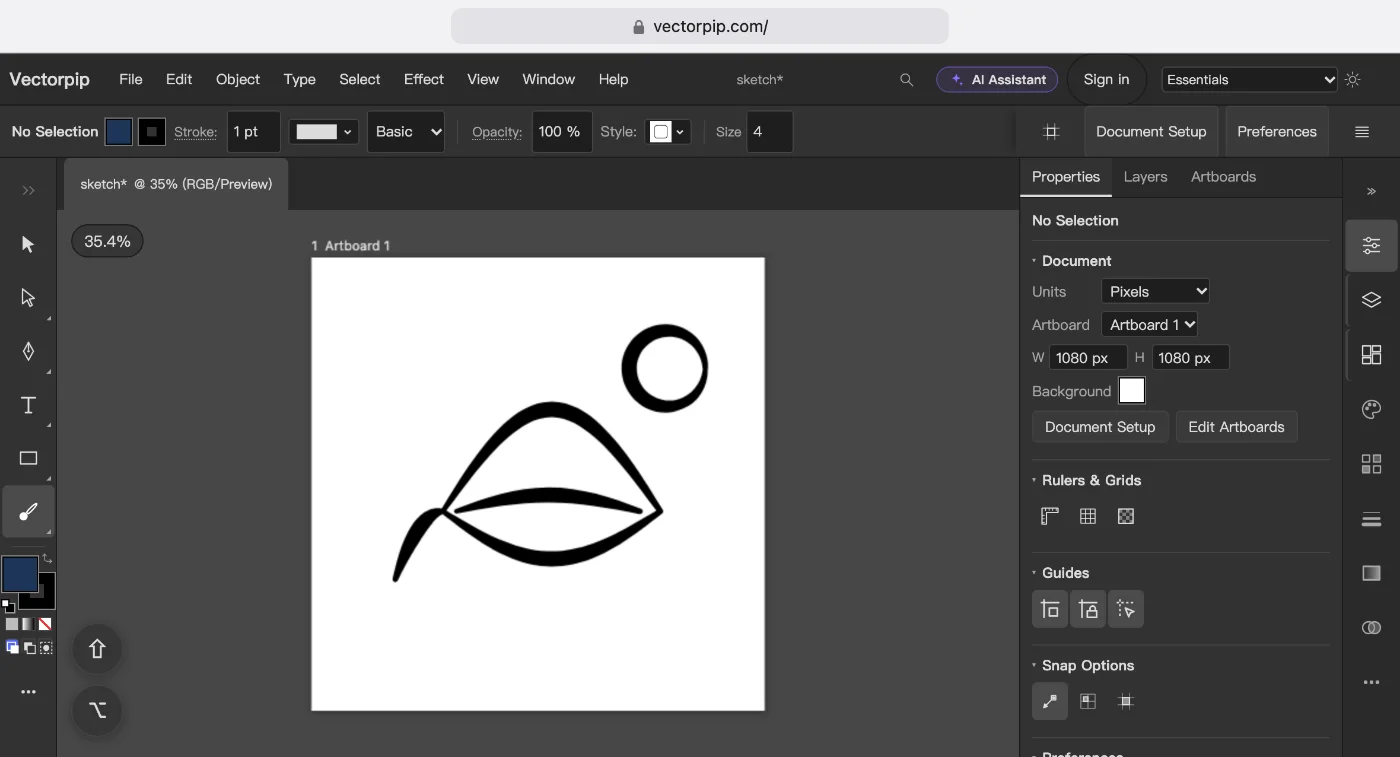
What happened to Adobe Illustrator Draw
Adobe took Illustrator Draw and Photoshop Sketch out of the app stores in July 2021 and stopped them on 10 January 2022. Adobe’s own suggestion was Fresco, which runs on the iPad, the iPhone and Windows. Vectornator, the other free vector app many Draw users moved to, was renamed Linearity Curve; it has a limited free plan and a paid Pro plan, and runs on the Mac, iPad and iPhone.
That leaves Android tablets and Chromebooks with no vector drawing app from either company. A browser editor fills that gap: it is the same address on every device, and nothing has to be installed.
Draw a vector sketch on a tablet
- Tap Open the editor. On the start screen, under Quick start, tap Square Post for a 1080 × 1080 px artboard.
- Choose the Blob Brush Tool in the toolbar (it shares a slot with the Paintbrush Tool; Shift+B with a keyboard). Each stroke becomes one filled shape.
- Double-click the Blob Brush Tool and, under Default Brush Options, set the menu next to Size to Pressure. Type how much the size may vary, then click OK. Press harder with the pencil for a thicker line.
- Draw. Pinch to zoom, drag with two fingers to move around, tap with two fingers to undo and with three to redo. Press ⇧ on the Touch Shortcut in the corner of the canvas for the Shift key.
- Choose File > Save As… and pick .ai, PDF or SVG, or File > Export > Export As… for a PNG.
Note: With Apple Pencil, choose Edit > Preferences > General…, click Devices and tick Pencil Only Draws: a finger then moves the canvas instead of drawing.
What is different from a drawing app
The editor works like a desktop vector program, not like Draw: menus along the top, panels on the right, layers and anchor points you can edit with the Direct Selection Tool. That is more to learn on day one, and more you can do once the drawing has to become a logo, a sticker or a print file.
It is a web page, not an app in the App Store or Google Play. On an iPad it runs in Safari, on an Android tablet in Chrome. Safari and Chrome on a tablet save each file as a download; Chrome and Edge on a computer can write it back to the file you opened.
Sources and dates
- Draw’s withdrawal (July 2021) and shutdown (10 January 2022), and the move to Fresco: Adobe’s help page on the end of Adobe Draw and Sketch, read 2026-10-16.
- Fresco’s platforms, Linearity Curve’s name, plans and platforms: each maker’s own product and pricing pages, read 2026-10-15.
- The picture at the top was drawn with the Blob Brush, Size set to Pressure, in the editor at a tablet’s width on 2026-10-23.
Next steps
- The iPad, Android and Chromebook question in more detail: vector drawing on a tablet or Chromebook.
- Not sure which file to save: what a vector file is.