Generate a vector barcode as SVG
Type digits or SKU text to place a crisp EAN-13 or Code 128 vector barcode with quiet zones for packaging and labels.
 Hangtag · empty slot
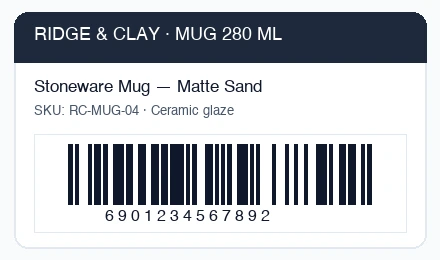 EAN-13 · vector bars
How to Use
Enter an SKU, ticket ID or 12–13 digit retail product number and click **Create a barcode**. Code 128 is picked automatically for alphanumeric codes and EAN-13 for 12–13 digit retail numbers, computing and verifying the 13th check digit before drawing. Unlike single-purpose web forms that trap you with a static download, your barcode lands on an editable vector artboard with built-in left/right quiet zones—ready to drop onto a hangtag or packaging dieline and export as SVG, PDF, EPS or .ai.
- Type your alphanumeric SKU (Code 128) or 12–13 digits (EAN-13) and click Create a barcode.
- Verify Type, bar color, white background quiet-zone box and width (mm/pt) in the dialog, then click OK.
- Click Edit barcode... on the card anytime to update digits without moving or resizing it, or drag the barcode onto your packaging file.
- Click Download SVG for web or print workflows, or save print-ready PDF / EPS from File > Save As....
| Symbologies | Code 128 Set B (printable ASCII 32–126) and EAN-13 (auto-calculates 13th check digit or catches invalid check digits live) |
|---|---|
| Quiet zones | Guaranteed white margin built in (10 modules left/right for Code 128, 11 modules for EAN-13) plus human-readable numbers below |
| Vector structure | Single compound SVG path for bars + white quiet-zone box + editable text caption |
| Saves & privacy | Exports SVG, PDF, EPS, .ai and PNG locally in your browser—no sign-up, no server upload |
This barcode mode supports 1D linear Code 128 (Set B) and EAN-13 only (switch Type in the dialog for QR, Wi-Fi or vCard). UPC-A, Code 39, ITF-14 and CSV bulk sequence generation are not included. Keep bars dark on a light background without horizontal stretching, and keep print width 2 cm (57 pt) or wider.
- How do I generate a vector EAN-13 barcode SVG with check digit?
- Enter your 12-digit GS1 prefix + item code (or all 13 digits to verify) and click Create a barcode. The dialog computes the mod-10 13th check digit automatically or warns immediately if the final digit is wrong.
- Why must I keep the white quiet zone around the bars?
- Barcode scanners rely on blank margins (10 modules on Code 128, 11 on EAN-13) before the first bar and after the last bar to calibrate contrast. Vectorpip builds that quiet zone in automatically.
- Can I place the barcode directly into my packaging or hangtag file?
- Yes. Open your package, coupon or label file first with File > Open..., then choose Object > Create QR Code... and switch Type to Code 128 or EAN-13.
- Can it export EPS or PDF for a commercial printer?
- Yes. Download the pure vector SVG directly from the card, or choose File > Save As... to write PDF, EPS or .ai.
RelatedMake a QR code as SVGMake a business cardMake a die-cut sticker