
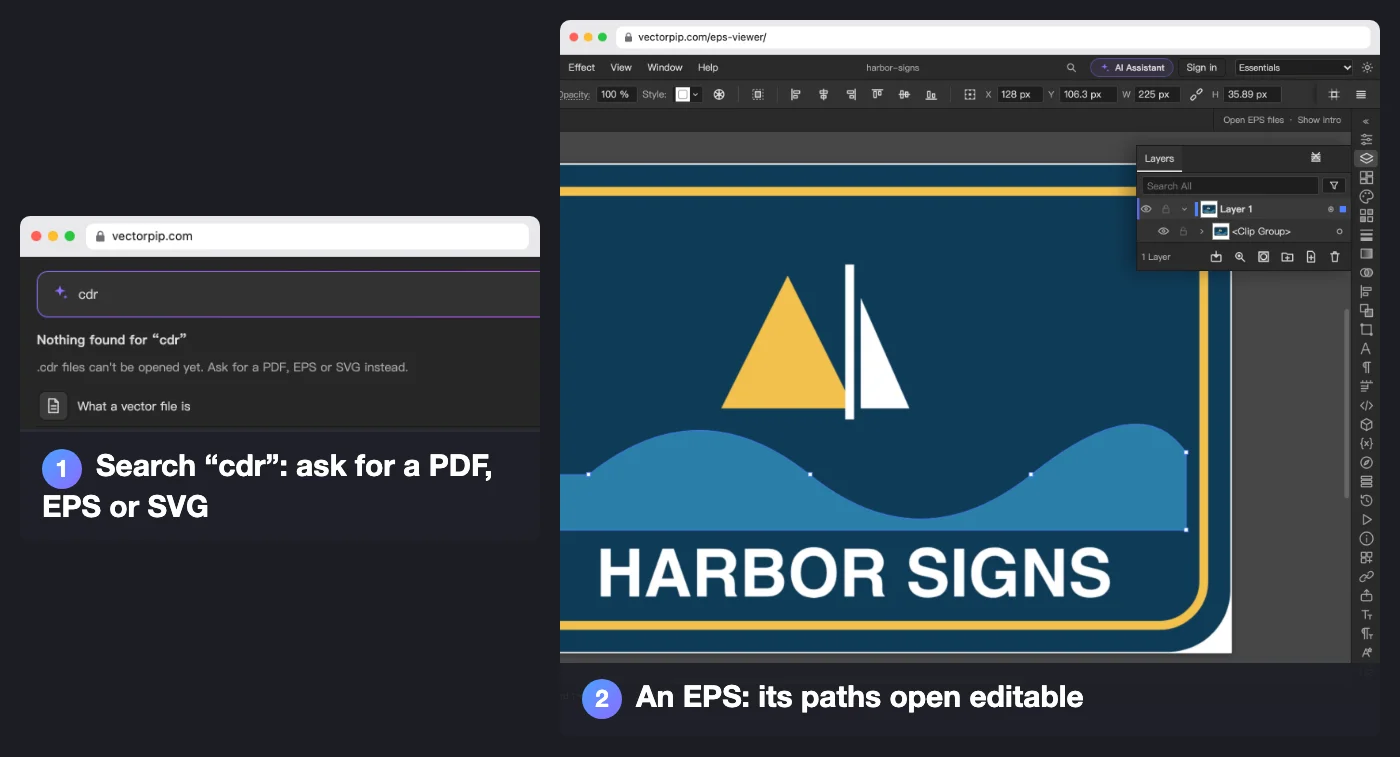
A customer sends a .cdr, or you are moving to a computer without CorelDRAW. The table lists common jobs and where they are in Vectorpip.
| Task | Here | Notes |
|---|---|---|
| Open a .cdr file | No | Export it from CorelDRAW as EPS, PDF or SVG first; the search box on the editor's Home says the same when you type “cdr”. With only a picture of the design, trace it (below) |
| Open an EPS, PDF, SVG or .ai | Yes | Paths, fills and strokes open editable. EPS and PDF files exported from CorelDRAW have not been tested here yet |
| Turn text into curves | Yes | Type > Create Outlines (Ctrl+Shift+O) |
| Combine, cut or overlap shapes | Yes | Pathfinder panel: Unite, Minus Front, Intersect, Exclude |
| Put artwork inside a shape | Yes | Object > Clipping Mask > Make |
| Blend, envelope, offset outline | Yes | Object > Blend (Blend tool, W), Object > Envelope Distort, Object > Path > Offset Path… |
| Trace a bitmap logo | Yes | Object > Image Trace > Make; large pictures are traced at up to 1.5 megapixels |
| Save for a cutter, plotter or embroidery machine | No PLT or DST | Export As… writes DXF and SVG, Save As… writes EPS; nothing here writes PLT or DST |
“Here” is checked against Vectorpip's source and in the editor on 2026-10-27. The first column names the task, not CorelDRAW's command.
How the two differ
According to Corel’s CorelDRAW Graphics Suite product page (read 2026-10-20), CorelDRAW runs on Windows and Mac, the subscription includes a browser version called CorelDRAW Web, and the suite covers page layout, PowerTRACE bitmap tracing and effects such as Contour, Envelope and Blend.
Vectorpip is one vector editor that opens in a browser tab, with menus and shortcuts laid out as in Illustrator. What you bring from CorelDRAW is the artwork inside an EPS, PDF or SVG, not the .cdr and not CorelDRAW’s command names.
Start in four steps
- Get the drawing as an EPS, PDF or SVG. In CorelDRAW that is an export; if someone else made it, ask them for one of these three.
- Click Open an EPS and pick the file (an .ai works too). For a PDF or SVG, open the editor and choose File > Open….
- Edit with the tools in the table. Select a shape with the Selection tool (V), its points with the Direct Selection tool (A), and combine shapes in Window > Pathfinder.
- Choose File > Save As… to write .ai, PDF, EPS or SVG, or File > Export > Export As… for PNG, JPG or DXF. The file is written on your device; nothing is uploaded.
Note: EPS and DXF files up to 400 MB open; an SVG up to 120 MB of drawing (pictures inside it don’t count) or 250,000 elements; PDF and .ai files up to 2 GB.
Sources and dates
- CorelDRAW platforms, CorelDRAW Web, page layout, PowerTRACE, Contour, Envelope and Blend: Corel’s CorelDRAW Graphics Suite product page, read 2026-10-20.
- What opens, saves and exports here, the menu names and the size limits: Vectorpip’s source and its list of known limitations, checked 2026-10-27; the EPS in the picture is a sign logo drawn for this page and saved as EPS outside Illustrator, opened in Vectorpip on 2026-10-27.
- Vectorpip is not affiliated with the maker of CorelDRAW.
Next steps
- You have an .ai or a PDF instead: open it in the editor.