
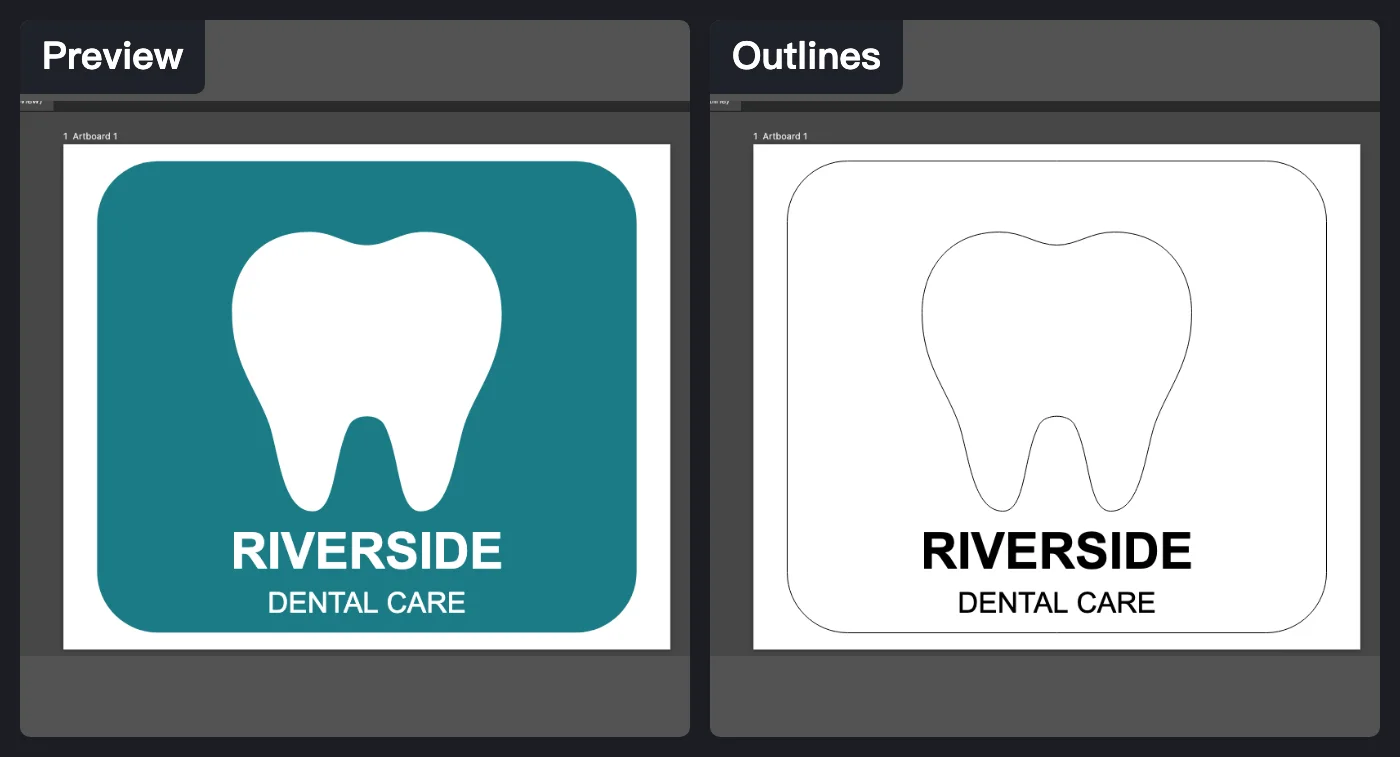
Someone sends an EPS logo or cutter file, and double-clicking it opens a blank white window. Most of the time the vector geometry is intact inside the file; your viewer simply didn’t draw the PostScript instructions.
| Cause | How to spot it | How to fix it |
|---|---|---|
| Viewer only reads preview thumbnails | Shows blank, tiny icon, or blocky TIFF thumbnail | Open in a PostScript-capable vector tool. Vectorpip renders actual paths rather than preview thumbnails |
| App lacks PostScript decoding | Blank page in OS previewers or Inkscape without Ghostscript | Install Ghostscript, ask for a PDF, or open here directly in your browser without add-ons |
| Artwork sits outside the artboard | Choose Select > All (Ctrl+A / Cmd+A) and the bounding box sits off the white page | Drag the selected group back onto the artboard with the Selection tool (V) |
| Artwork is white fills on white background | Select > All draws an empty-looking selection box | Choose View > Outline (Ctrl+Y / Cmd+Y) to reveal wireframes, then recolor the fills |
| Incomplete upload or truncated download | Tiny file size or partial strokes before stopping | Request a fresh copy; Vectorpip draws valid portions or reports if nothing displayable exists |
Vectorpip opens Illustrator and external PostScript EPS files up to 400 MB locally in your browser; nothing is uploaded.
Why previews show blank white sheets
An .eps file contains drawing commands written in PostScript alongside an optional bitmap preview header for software that cannot parse vector code. When that preview is omitted (common in stock downloads and automated exports), viewers that refuse to execute PostScript leave you staring at a white square.
Vectorpip skips the preview shortcut: it reads Illustrator EPS operators directly (keeping paths, fills, gradients, type, and layers when no raster image flattens them) and interprets third-party PostScript streams path by path.
Inspect and recover the EPS in four steps
-
Click Open the EPS here and choose the .eps file (or drag it straight onto the canvas).
-
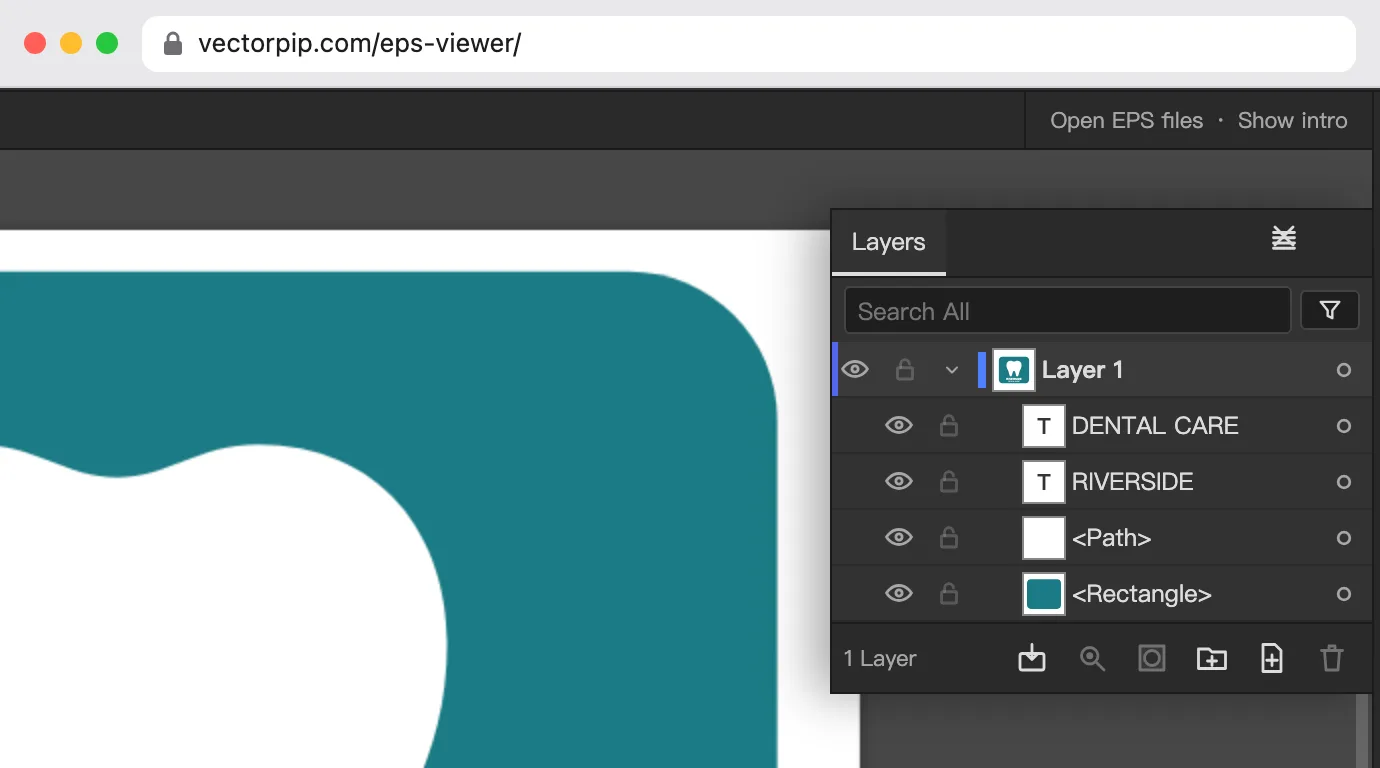
Open the Layers panel: Illustrator-saved EPS layers list by name, while third-party PostScript EPS files appear inside Layer 1.
-
If the artboard looks empty, press Ctrl+A (Windows) or Command+A (macOS) via Select > All:
- Selection box sits outside the page: drag it back with the Selection tool (V).
- Selection box wraps invisible white paths: press Ctrl+Y / Command+Y (View > Outline) to expose every stroke and anchor, change the fill color, and press Ctrl+Y again to return to preview.
- No selection box at all: the file lacks drawable artwork; ask the sender for a fresh PDF or .ai.
-
Save a reliable shareable copy via File > Save As… (PDF or .ai) or File > Export > Export As… (PNG).
Note: EPS files relying on uncommon PostScript constructs (such as certain CorelDRAW 7 exports) report that the file cannot be read rather than failing silently; ask the sender for a PDF instead. Embedded placed images inside Illustrator EPS flatten layers to one layer, and unreadable inline images trigger a status-bar count notice.
Sources and dates
- Side-by-side Preview / Wireframe Outline and Layers screenshots captured in Vectorpip using sample riverside-dental.eps on 2026-11-24.
- PostScript interpreter budgets (30M steps / 20 s / 2M objects, 400 MB import limit) documented in Vectorpip’s editor limits guide and tested in the browser (2026-11-24).
Next steps
- Send a quick raster proof to a client: convert EPS to transparent PNG.
- Preparing signage or laser cuts after outlining fonts: export as millimeter DXF.