
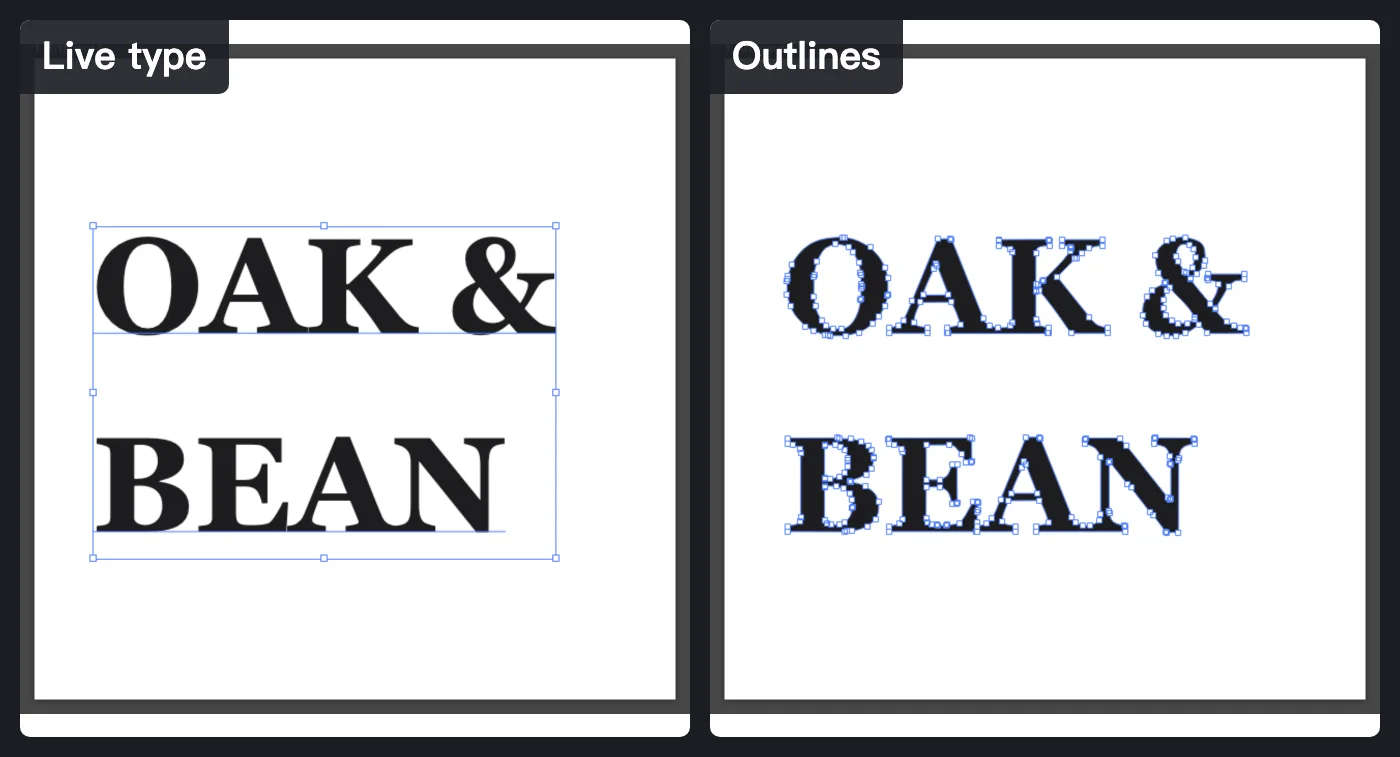
| Topic | Details |
|---|---|
| What it is | Converts typed characters from font references into closed vector curves (paths), eliminating external font dependencies. |
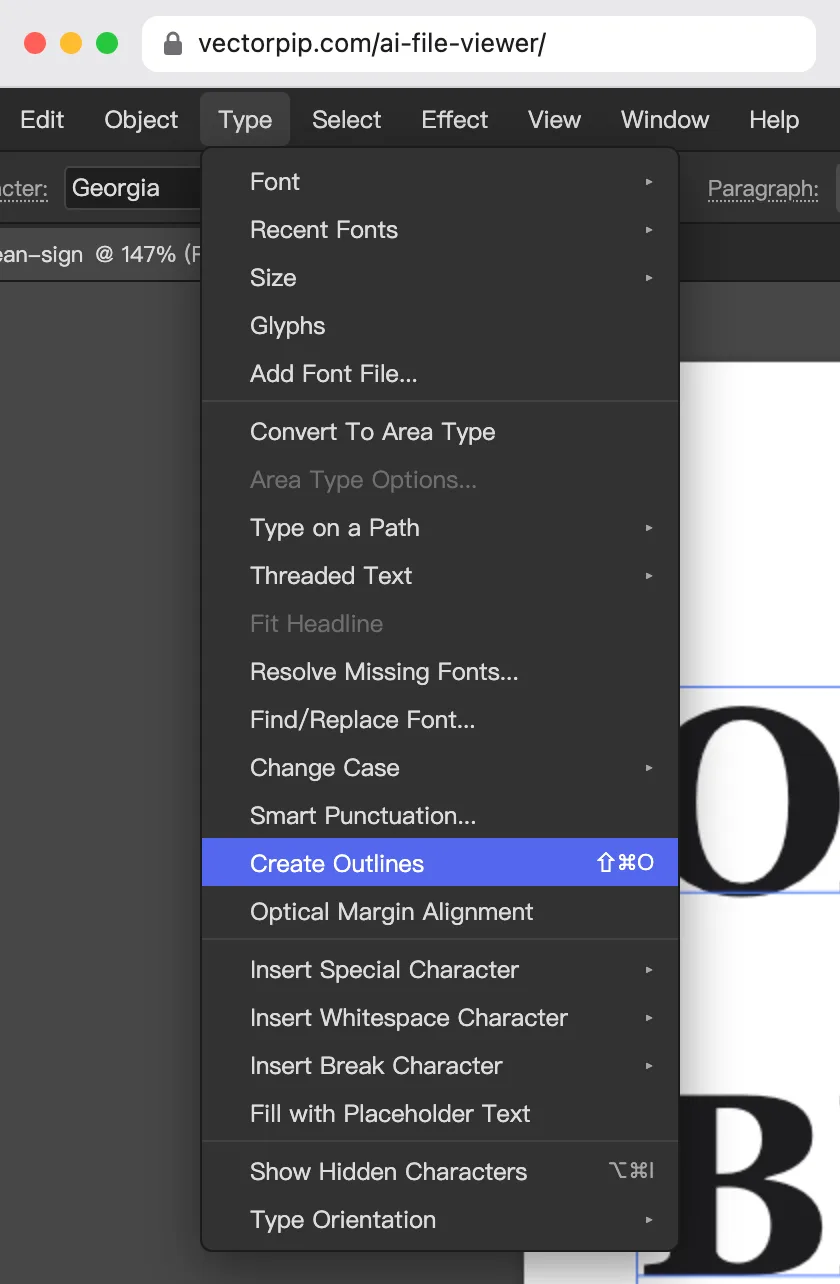
| What apps call it | Illustrator & Vectorpip: Type > Create Outlines (Ctrl+Shift+O / Cmd+Shift+O); CorelDRAW: Convert to Curves; SVG export option: Font > Convert To Outlines. |
| Is it reversible? | No. Once saved and closed, outlined paths cannot become typed text again; always keep an editable master file. |
Why print shops and cutting machines require outlines
Press RIP computers rarely hold every third-party font you used during layout. Unembedded text falls back to generic system fonts, shifting kerning, wrapping lines differently, or replacing headlines completely on proof day.
Plotters, vinyl cutters, and laser software go even further: xTool Creative Space and Cricut Design Space ignore <text> nodes in SVGs altogether because machines follow geometric paths rather than typography rules. Outlining turns every letter into exact curves that open identically on every machine.
Convert text to outlines in five steps
-
Click Outline text in a file to open your .ai or PDF (or open an EPS/SVG via File > Open…).
-
Check Type > Resolve Missing Fonts…. If the list is blank, continue; if missing fonts appear, load your .otf, .ttf, or .woff via Type > Add Font File… before converting (otherwise outlines trace the fallback font).
-
Choose Select > All (Ctrl+A / Command+A). Non-text shapes selected alongside type are safely ignored by the outline step.
-
Choose Type > Create Outlines (Ctrl+Shift+O / Command+Shift+O). Click any letter with the Direct Selection tool (A) to verify editable anchor points.
-
Export your press copy via File > Save As… (choose PDF with [Press Quality]) and keep a separate .ai or .vsd master with live text for future copy edits.
Caution: Vectorpip does not extract embedded proprietary font binaries inside third-party PDFs. If you lack the font file for a client’s PDF, either install/add the font first or send the original PDF untouched instead of outlining a fallback face.
How different export formats handle un-outlined type
| Export format | What happens to live type |
|---|---|
| PDF & .ai | Visual glyphs always match; TrueType (.ttf) fonts embed as subsets. OpenType CFF (.otf) fonts display visually but list as unembedded Helvetica; computer fonts embed once browser permission is granted in the Character panel. |
| EPS | Vectorpip outlines all text and flattens transparency automatically during EPS export. |
| SVG (Export As) | In SVG Options, set Font to Convert To Outlines to outline only the exported SVG without touching your working canvas. |
| DXF | Writes un-outlined words as CAD TEXT entities that laser and cutting machines ignore; check Outline Text in DXF/DWG Options during export, or run Create Outlines beforehand. |
PDF and .ai up to 2 GB, EPS up to 400 MB, all processed locally in your browser without upload.
Sources and dates
- Canvas selection, Type > Create Outlines menu highlight, and anchor wireframe screenshots captured in Vectorpip on 2026-11-24.
- Font subset embedding and PDF/EPS/SVG/DXF export behavior documented in Vectorpip’s editor limits guide and tested in the Export dialog (2026-11-24).
Next steps
- Preparing lettering for Cricut, Glowforge, or CNC cutting: export your outlined art as DXF.
- Received a blank EPS from another designer: check why EPS files open blank.
- Verify bleed, image DPI, and fonts before sending to press: run Print-Ready File Checker.