
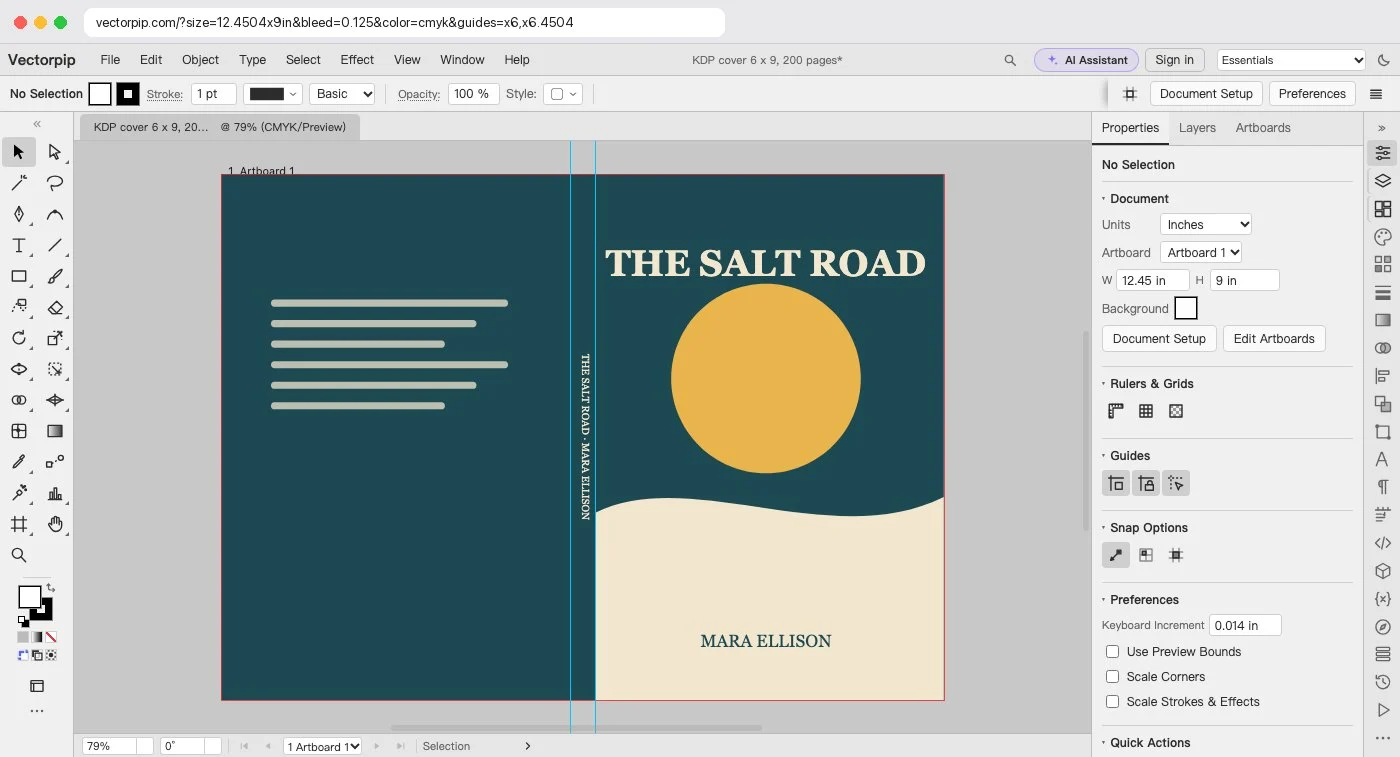
KDP prints the back cover, the spine and the front cover as one sheet, then trims it. The file you upload has to be that whole sheet plus 0.125 in of bleed round the outside, so a 6 × 9 in paperback of 200 pages on white paper needs a PDF 12.700 × 9.250 in.
| Trim size | Pages | Spine | Cover file (w × h) | Note |
|---|---|---|---|---|
| 5 × 8 in | 60, cream | 0.150 in | 10.400 × 8.250 in | No spine text: under 79 pages |
| 5.5 × 8.5 in | 240, cream | 0.600 in | 11.850 × 8.750 in | |
| 6 × 9 in | 200, white | 0.450 in | 12.700 × 9.250 in | The most common trim |
| 6 × 9 in | 350, cream | 0.875 in | 13.125 × 9.250 in | |
| 8.5 × 8.5 in | 32, premium color | 0.075 in | 17.325 × 8.750 in | Picture book; no spine text |
| 8.5 × 11 in | 100, white | 0.225 in | 17.475 × 11.250 in | Workbook; large trim |
Worked out with the formula above and rounded to a thousandth of an inch; KDP's own cover calculator can differ in the last digit. Calculated in your browser; nothing is sent.
Why the spine changes with the page count
The spine is as thick as the stack of pages, so KDP works it out from the page count and the paper: each white page adds 0.002252 in, each cream page 0.0025 in, a premium color page 0.002347 in and a standard color page 0.002252 in. Add or remove pages and the cover changes width, which is the usual reason a cover made for one draft is rejected for the next. Spine text needs 79 pages or more.
Make the cover at this size
- In the calculator, choose your Trim size, type the Pages and choose the Paper, then click Make the cover at this size. The editor opens File > New with the width, height, 0.125 in bleed on each side and CMYK already filled in.
- Click Create. The artboard is the trimmed cover; the red line round it is the bleed, and two guides mark the edges of the spine.
- Run the background out to the red line on all four sides. Keep text at least 0.125 in inside the trim, and spine text at least 0.0625 in from each edge of the spine.
- Choose File > Save as PDF…, choose the [PDF/X-1a:2001] preset and make sure Trim Marks is off. It flattens transparency and writes CMYK, as KDP asks; the CMYK is converted with a simple formula, not a print profile, so check the colors in KDP’s previewer.
Note: Before you upload, check the PDF against KDP’s list: one page, CMYK with no spot colors (the [PDF/X-1a:2001] preset keeps a spot swatch as an ink of its own, so use process colors), pictures at 300 DPI or more, transparency flattened, no crop marks, under 650 MB (KDP recommends 40 MB or less).
Sources and dates
- Amazon KDP help: “Create a Paperback Cover” (formula, bleed, spine factors, 79 pages, spine text 0.0625 in, 300 DPI, 650 MB, crop marks, barcode), read 2026-10-27.
- Amazon KDP help: “Set Trim Size, Bleed, and Margins” (the paperback trim sizes in the calculator), read 2026-10-27.